Skip to content
Product

Everything it takes to run websites.

Start from a guided brief, let the AI build and check the site, refine every pixel with custom layouts and global styles, then rank it, translate it, capture its leads, take its bookings, sell its products, keep its blog publishing, and host, monitor and report on every site. Edit sites built in code and migrate client sites ten at a time. All in one product.

01Onboarding

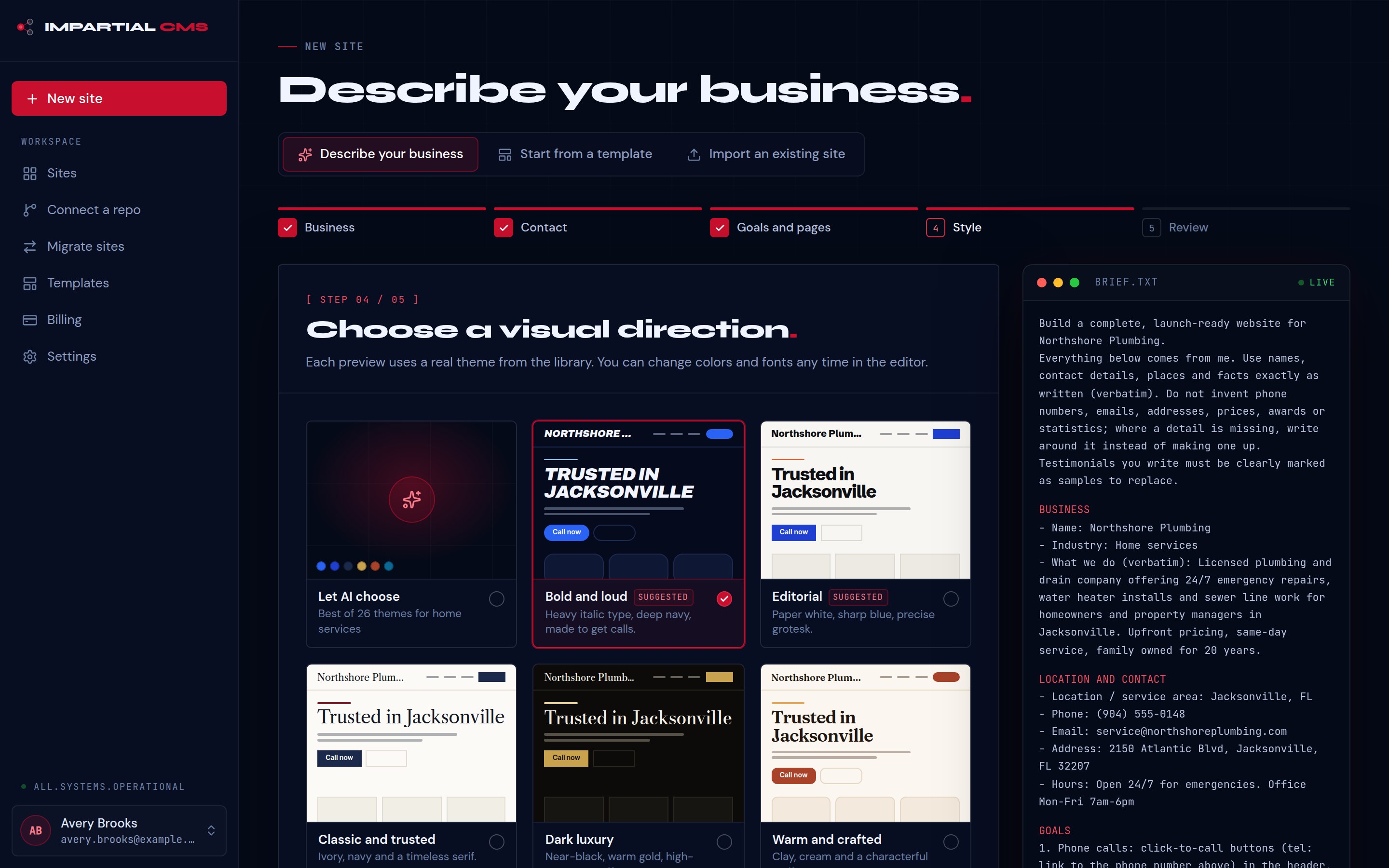
Start with a guided brief, not a blank page.

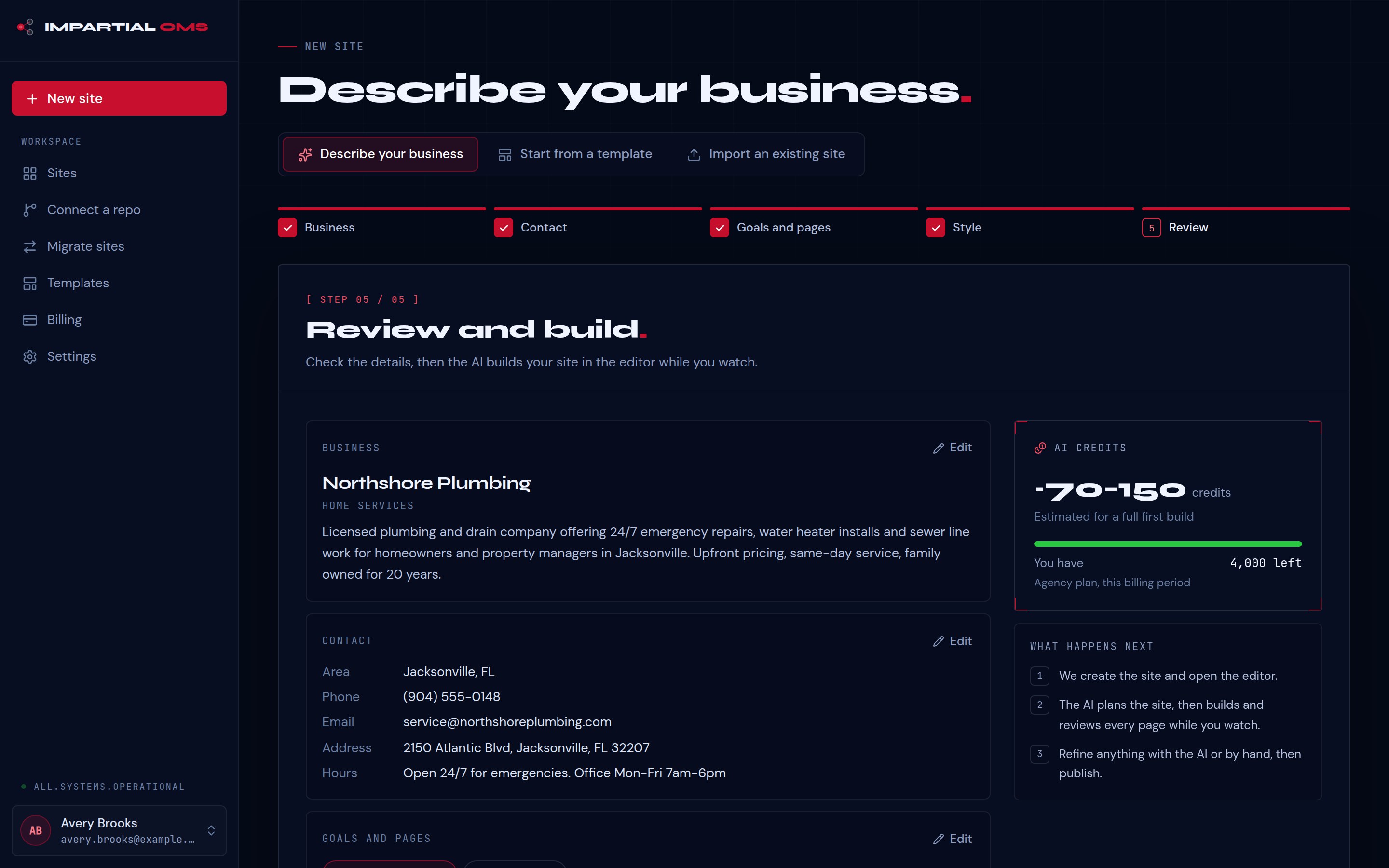
New sites start from a five-step Describe your business wizard. A live brief fills in as you answer, visual directions are previewed with the business's own name, and the build starts on its own when you confirm.

  • Business, contact, goals and pages, style, then review
  • 8 visual directions previewed with your name, or let the AI choose
  • Reference sites, reference screenshots and your logo
  • A credit estimate before the build, then an automatic build in the editor
  • Or pick a template and Personalize with AI, or rebuild your current website from its URL on any paid plan
impartialcms.com/dashboard/new
New site wizard, step 4 of 5: visual directions previewed with the business name, next to the live brief
02AI builder

It plans, builds, then checks its own work.

Claude starts with a plan card: the sitemap, the voice and the design direction. It builds every page from real section blocks, scores the result with a deterministic quality check and runs a critique-and-fix pass before you see it. In our internal testing, builds from 20 different briefs averaged 99.6 out of 100.

  • 21 industry playbooks and written guidance for every block
  • Input repair keeps malformed AI output from breaking a page
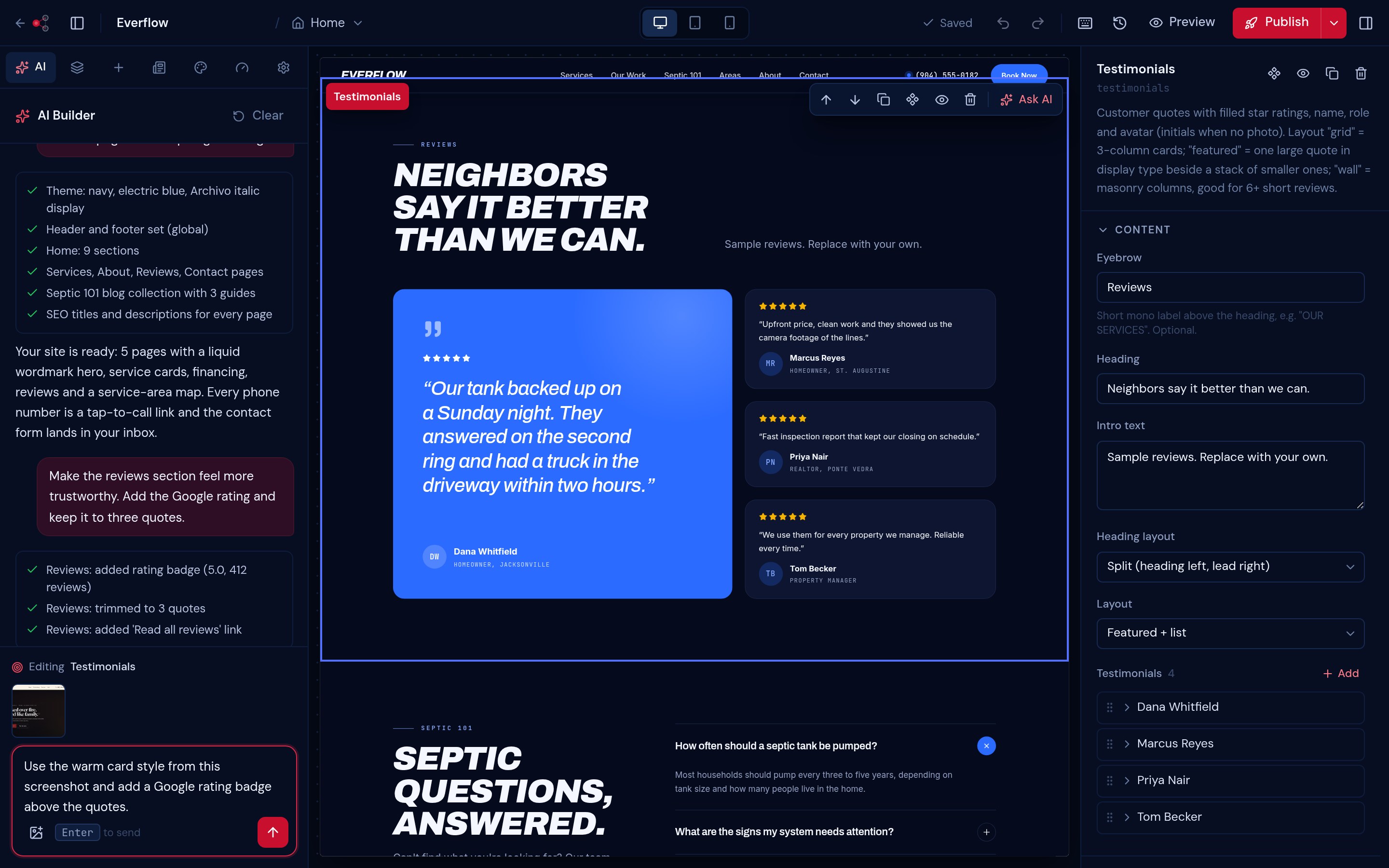
  • A summary of what changed after every turn, down to the element, plus suggested next steps
  • Broken internal links are repaired automatically after every turn
  • Credits used shown on every turn; every change is one undo away
  • Attach reference screenshots, or select a section and ask for just that change
impartialcms.com/editor/iron-borough
AI Builder after a full site build: the sitemap from the plan, a quality score of 100 after the automatic review pass, credits used for the turn and suggested next steps, beside the live canvas and inspector
03Visual editor

Nothing is locked behind a prompt.

The AI and the editor change the same document. Click any heading and type, drag layers to reorder, and adjust any field of any block in the inspector.

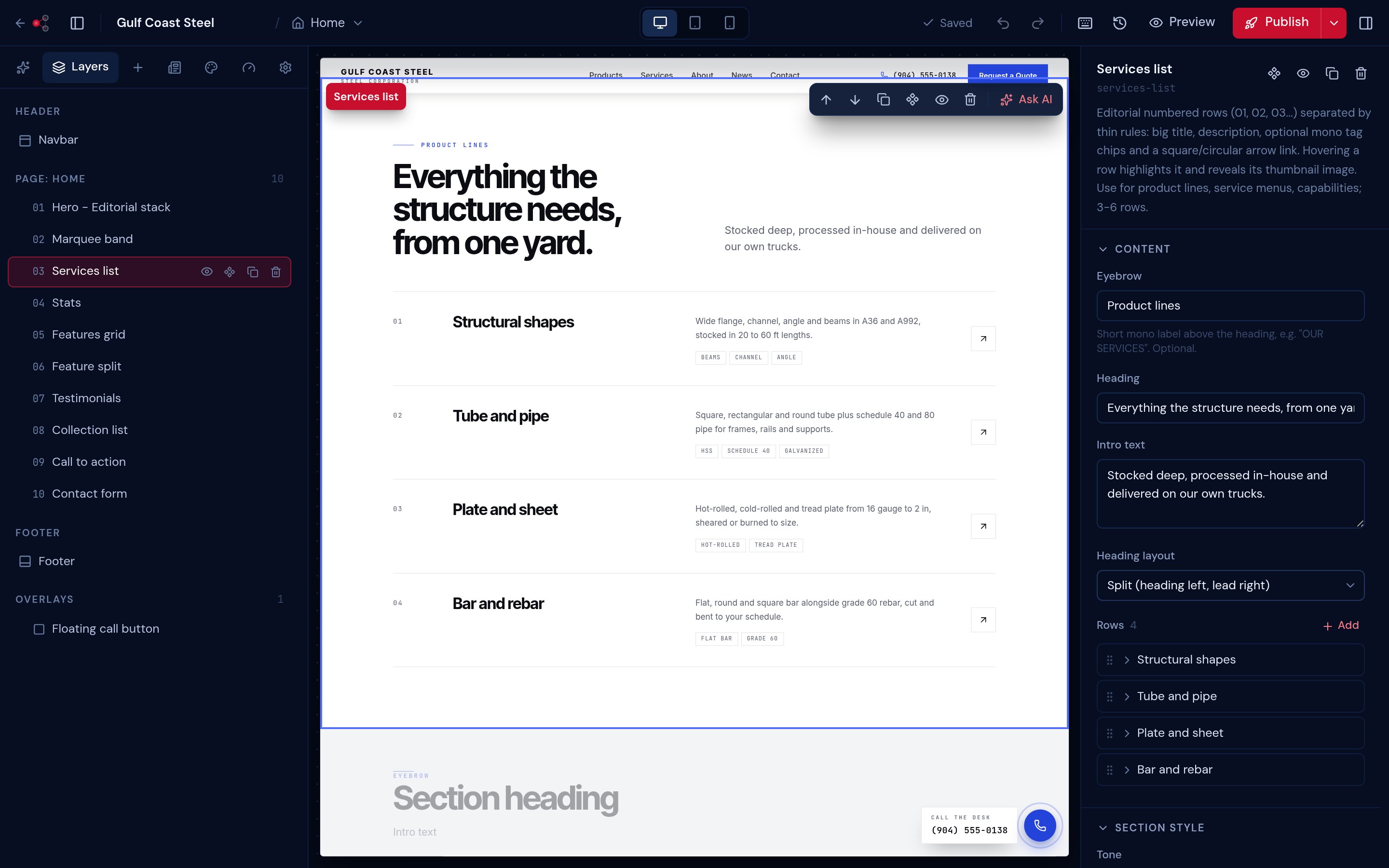
  • Drag-reorder layers, duplicate, hide or delete sections
  • Inline text editing on the canvas, with responsive width handles to test any screen size
  • Link picker for pages, sections, collection entries, phone numbers and email
  • Image focal point and alt text on every image
  • Search and social share previews for every page
  • Undo and redo, autosave, version history with one-click restore
impartialcms.com/editor/gulf-coast-steel
Editor with the Layers panel listing every section of the page, the Services list section selected on the canvas and its fields in the inspector
04Power tools

Built for people who edit all day.

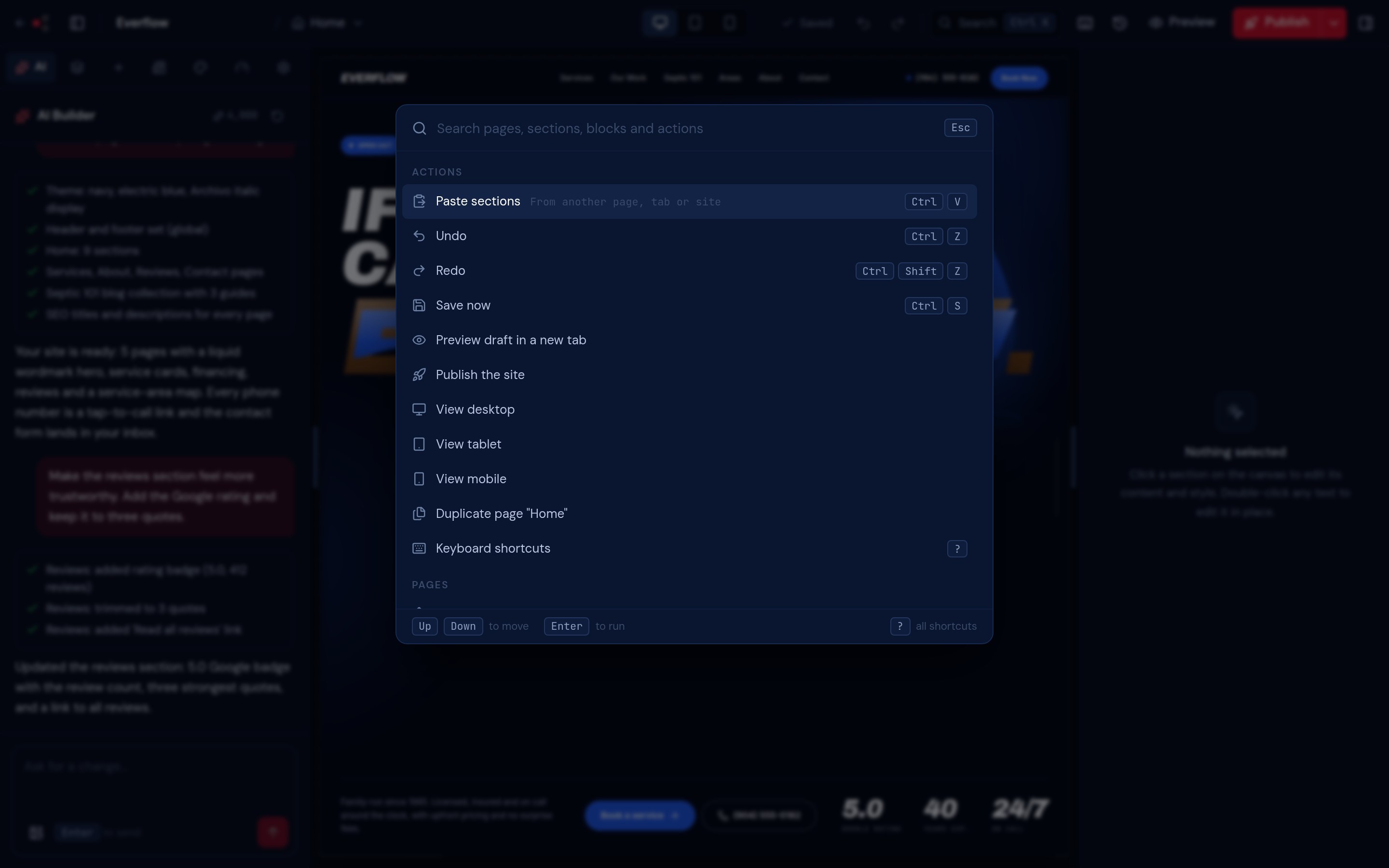
One command palette reaches every page, section, block and action. Keyboard shortcuts cover the rest, and sections move between pages, tabs and sites with plain copy and paste.

  • Command palette with Cmd or Ctrl + K, and a shortcut sheet on ?
  • Shift or Cmd-click to select several sections and work on them together
  • Cross-site copy and paste
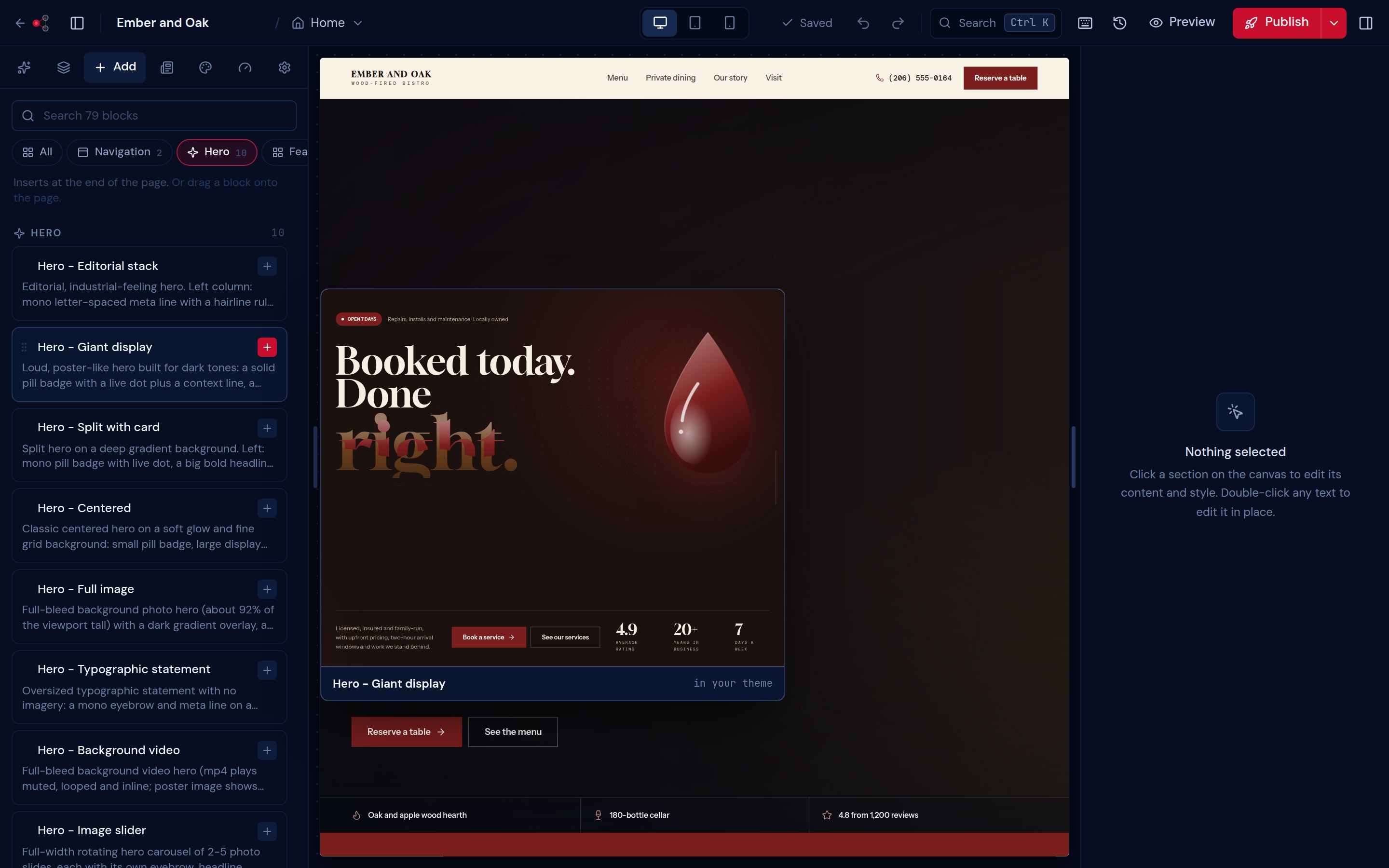
  • Hover any block in the library for a preview in your theme, then drag it onto the canvas
  • Autosave detects edits made in another tab and asks which version to keep
impartialcms.com/editor/everflow
Command palette over the editor listing actions such as paste sections, undo, save, publish and device views, each with its keyboard shortcut
05Custom layouts

Free-form sections when a block is not enough.

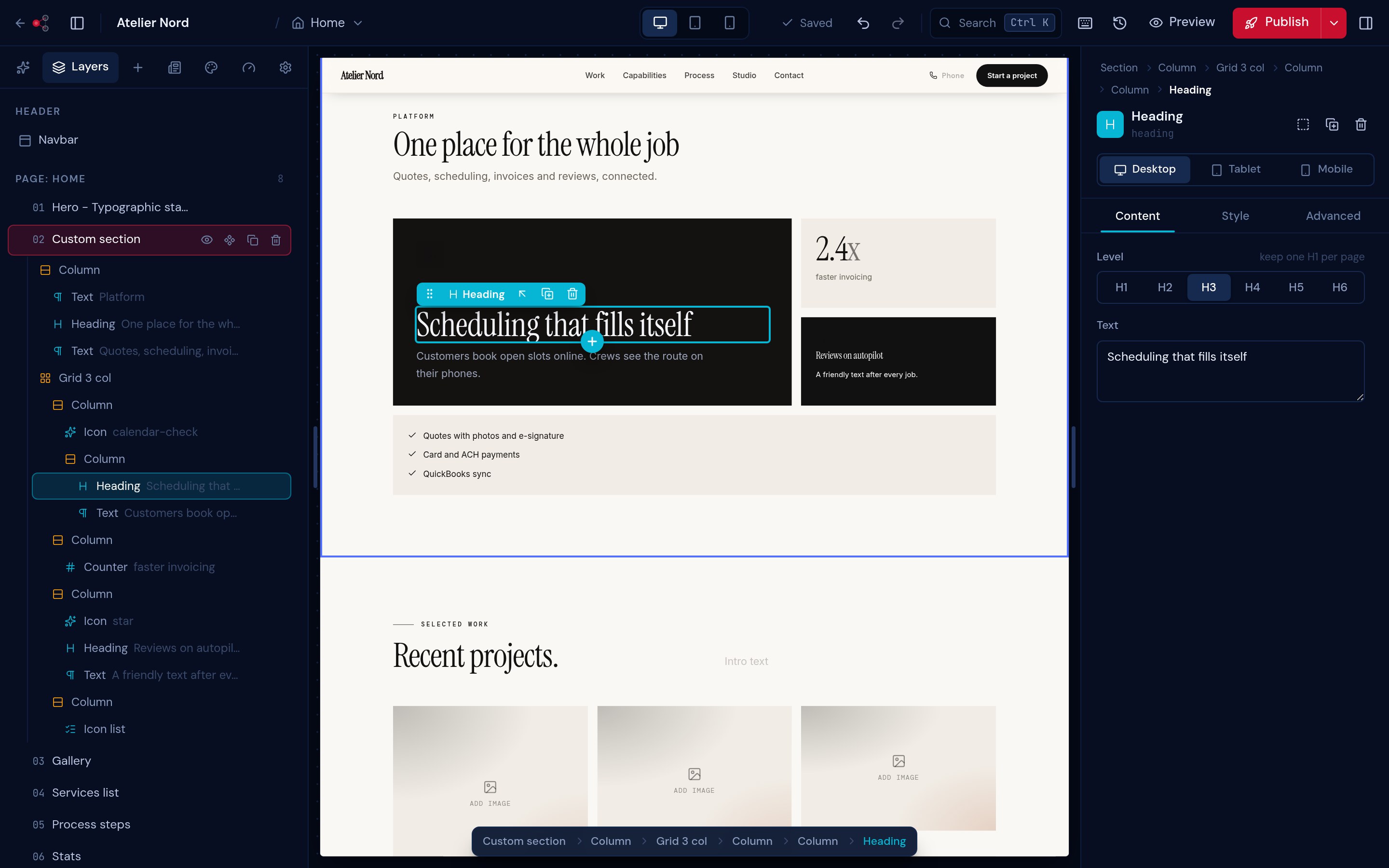
Custom sections are built from containers and grids you arrange yourself. A breadcrumb on the canvas shows exactly where you are, and the inspector edits content, style and advanced settings for every element.

  • 18 element types: headings, text, buttons, images, icons, lists, video, maps, forms, counters and more
  • 10 starter layouts to begin from
  • Desktop, tablet and phone overrides for every element
  • Drag elements between custom sections, or onto the gap between sections to start a new one
  • Detach any block into a custom layout and keep editing it freely
  • Ask the AI to build a custom layout from a description
impartialcms.com/editor/atelier-nord
Editing a custom section: a heading selected inside a grid, its breadcrumb path on the canvas, the element tree in Layers and per-device Content, Style and Advanced tabs in the inspector
06Global styles

Design tokens for the whole site.

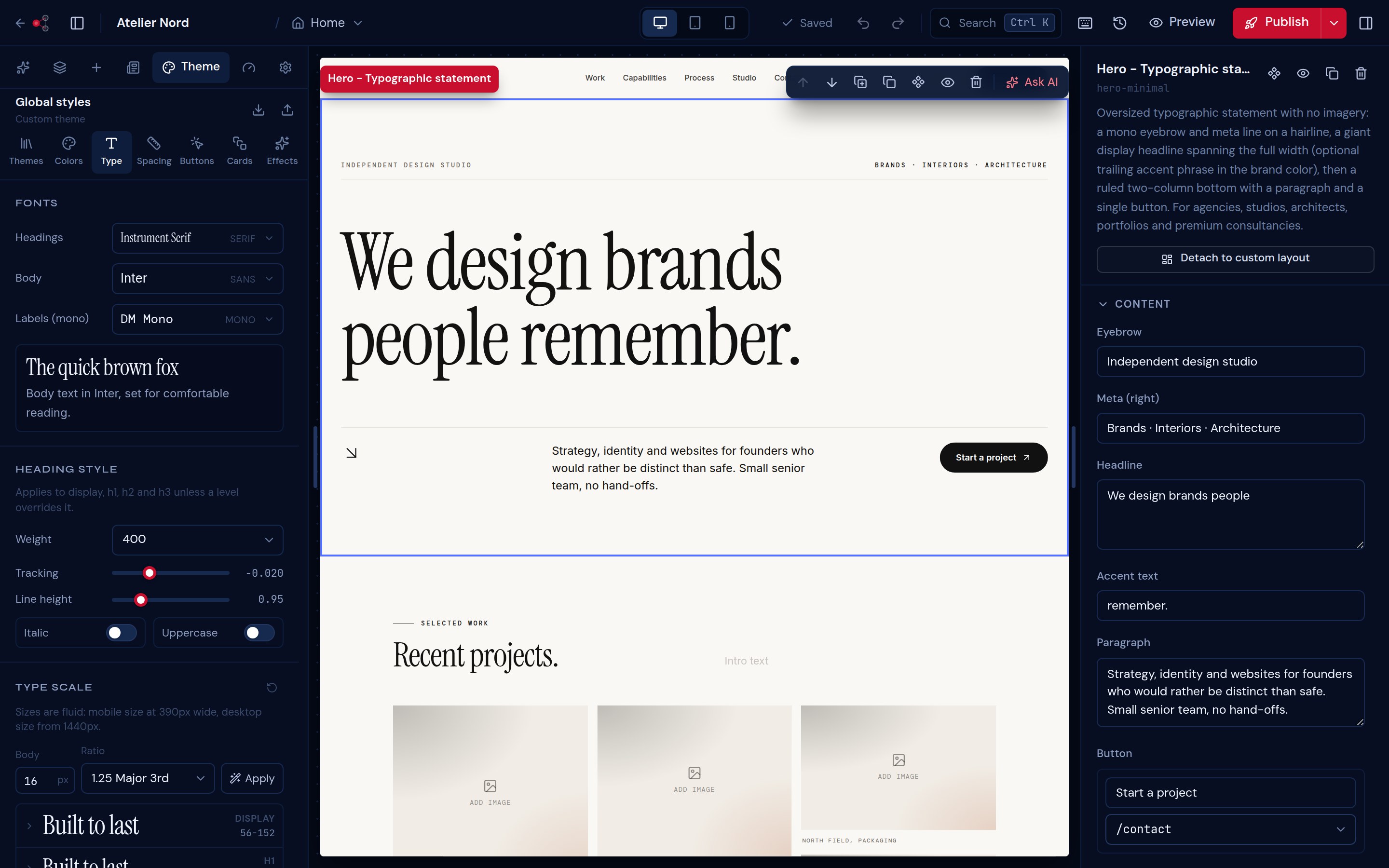
Global styles turn the theme into a real design system. Set the type scale, spacing, buttons, cards, inputs and effects once, and every section and custom layout follows.

  • Fonts, heading style and a fluid type scale
  • Spacing scale, button, card and input styles, and effects
  • Custom colors alongside the theme palette
  • Save your own presets, and export or import styles between sites
  • 26 presets, each with distinct component styles
impartialcms.com/editor/atelier-nord
Global styles Type tab: heading, body and label fonts, heading weight, tracking and line height, and a fluid type scale
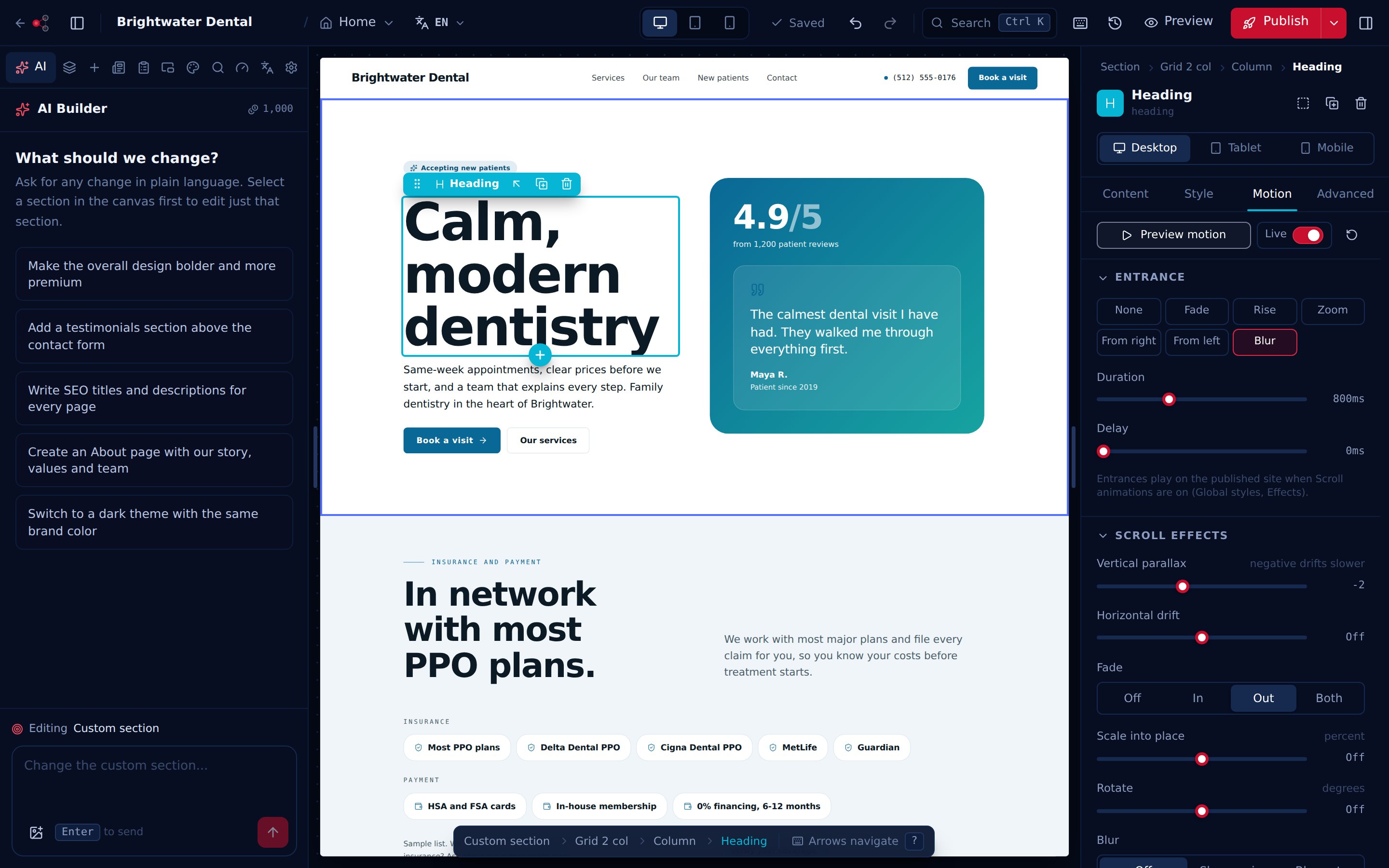
07Motion and interactions

Motion that feels considered, not busy.

Give any section or element scroll effects, a cursor-following drift or a 3D tilt, entrances with their own timing, and card grids that appear one card after another. Headers can shrink and step aside while visitors read. Effects use only transforms, opacity and blur, switch off for visitors who prefer reduced motion, and can be turned off per device.

  • Scroll effects: vertical and horizontal parallax, fade, scale, rotate and blur over a viewport range you choose
  • Mouse track and 3D tilt on hover, skipped on touch screens
  • Entrance presets for every section and element, with duration, delay and staggered children
  • Sticky sections and elements per device, and a header that shrinks after scrolling and hides on the way down
  • Hover effects: lift, grow, accent glow, image zoom and underline slide
  • Custom CSS for any section or element with the selector keyword, plus site-wide CSS in global styles, checked before it saves
  • Ask the AI: add subtle parallax to the hero and stagger the service cards
impartialcms.com/editor/harbor-coffee
Motion tab for a hero heading in a custom section: a blur entrance with its duration, subtle vertical parallax that fades out on the way up, 3D tilt and per-device toggles, with Preview motion beside the canvas
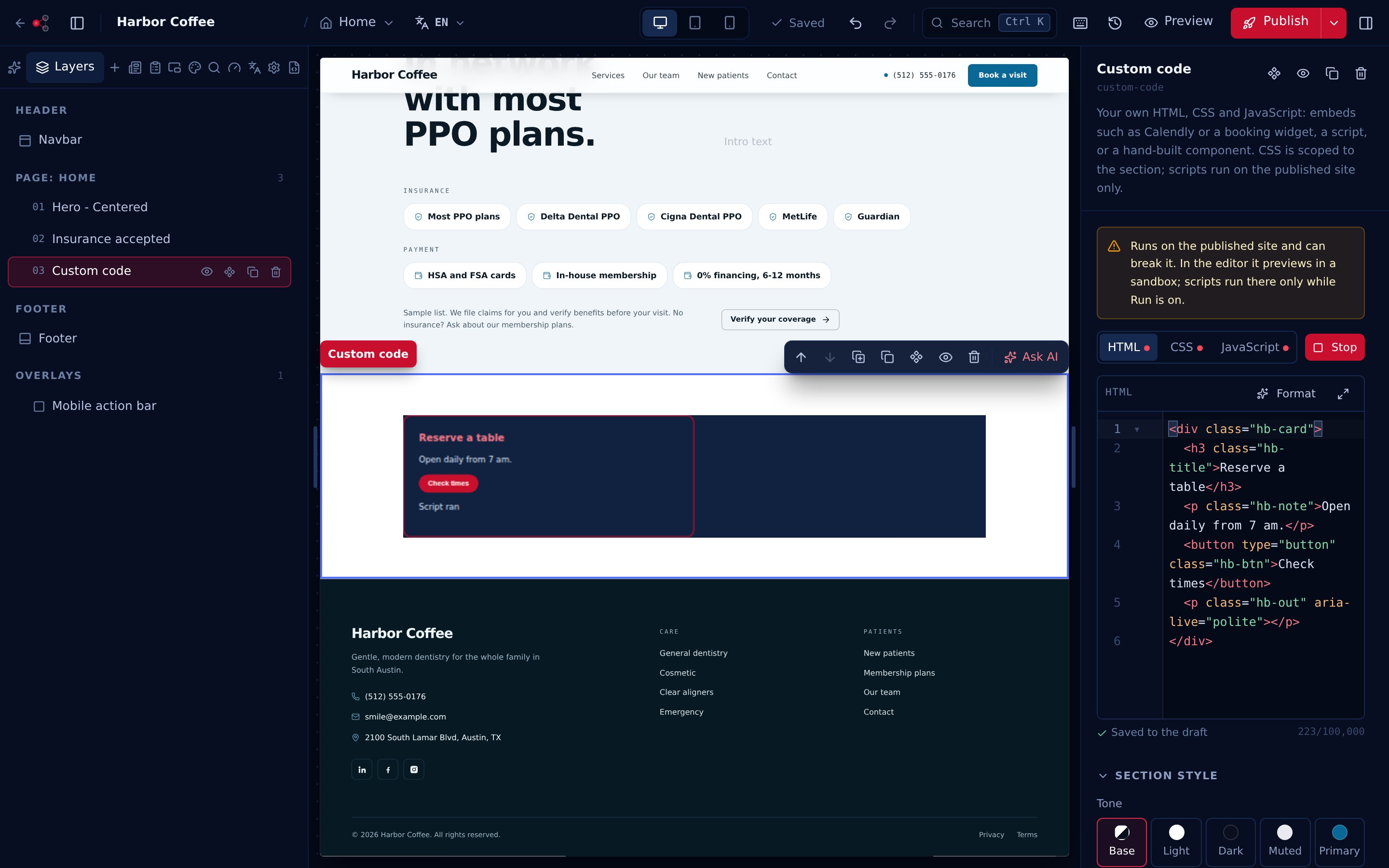
08Full code access

When a developer needs the code, it is all there.

Drop in a code section with your own HTML, CSS and JavaScript, add head and body code to the whole site or one page, or open any file of a connected repository. Everything is edited in a real code editor, previewed in a sandbox and run on the published site only.

  • Code sections with HTML, CSS scoped to the section with the selector keyword, and JavaScript that runs with the section in scope; HTML embeds inside custom sections
  • Site and page head and body-end code for analytics, chat widgets and verification tags
  • A real code editor: syntax highlighting, line numbers, find and replace, folding, Prettier formatting, inline HTML, JavaScript and CSS errors, and full screen
  • Code never runs inside the editor; previews run in a sandbox with a Run switch, and on the live site it runs exactly as written
  • Safe mode turns all custom code off on the live site in one click, and health scans flag insecure http:// resources and very large scripts
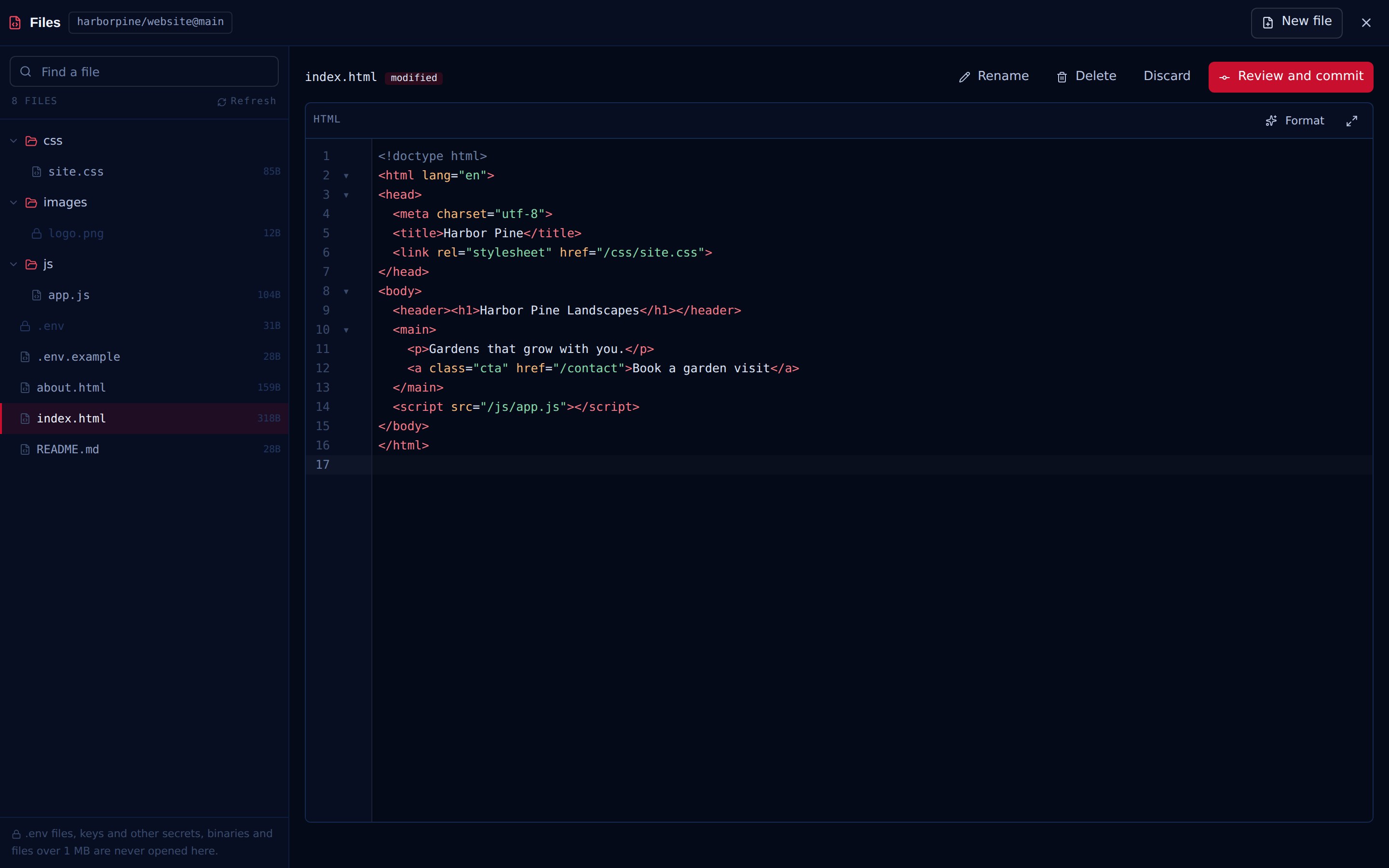
  • Connect sites: browse the repository, edit any text file, review the diff and commit, with nothing overwritten when a file changed upstream
  • Owners, admins and editors only; clients never see code, and every change is in the activity log
impartialcms.com/editor/harbor-coffee
A custom code section in the editor: its HTML, scoped CSS and JavaScript in the code editor with syntax highlighting and inline checks, the Run switch, and the section previewed in a sandbox on the canvas
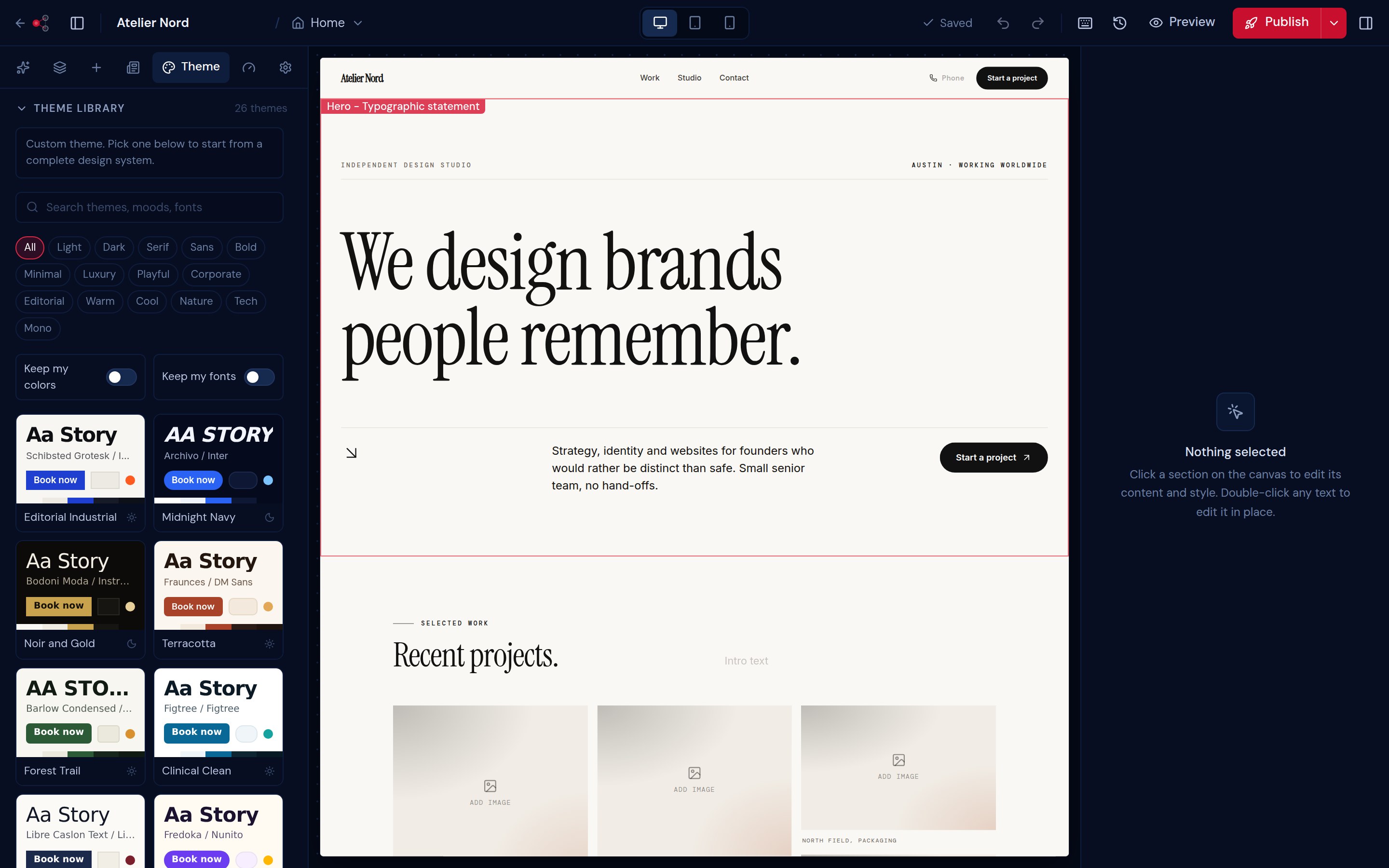
09Blocks, themes and templates

26 design systems and 80+ blocks.

Apply a complete design system in one click, or keep your colors or fonts and borrow the rest. Then build from a library of production-grade blocks.

  • 26 themes, searchable by mood: light, dark, serif, editorial, luxury, playful and more
  • Interactive pro blocks: video and slider heroes, tabs, before and after, pricing toggles, countdowns, carousels
  • Industry blocks for restaurants, real estate, law, health, fitness, events, trades and careers
  • 12 starter templates by industry
impartialcms.com/editor/atelier-nord
Global styles panel on the Themes tab: a searchable theme library with mood filters, each card previewing its fonts, colors and buttons
Content 18Conversion 18Listings 11Social Proof 11Hero 10Features 8Media 6Navigation 3Overlay 2Footer 1
10Phone editor

Edit and publish from your phone.

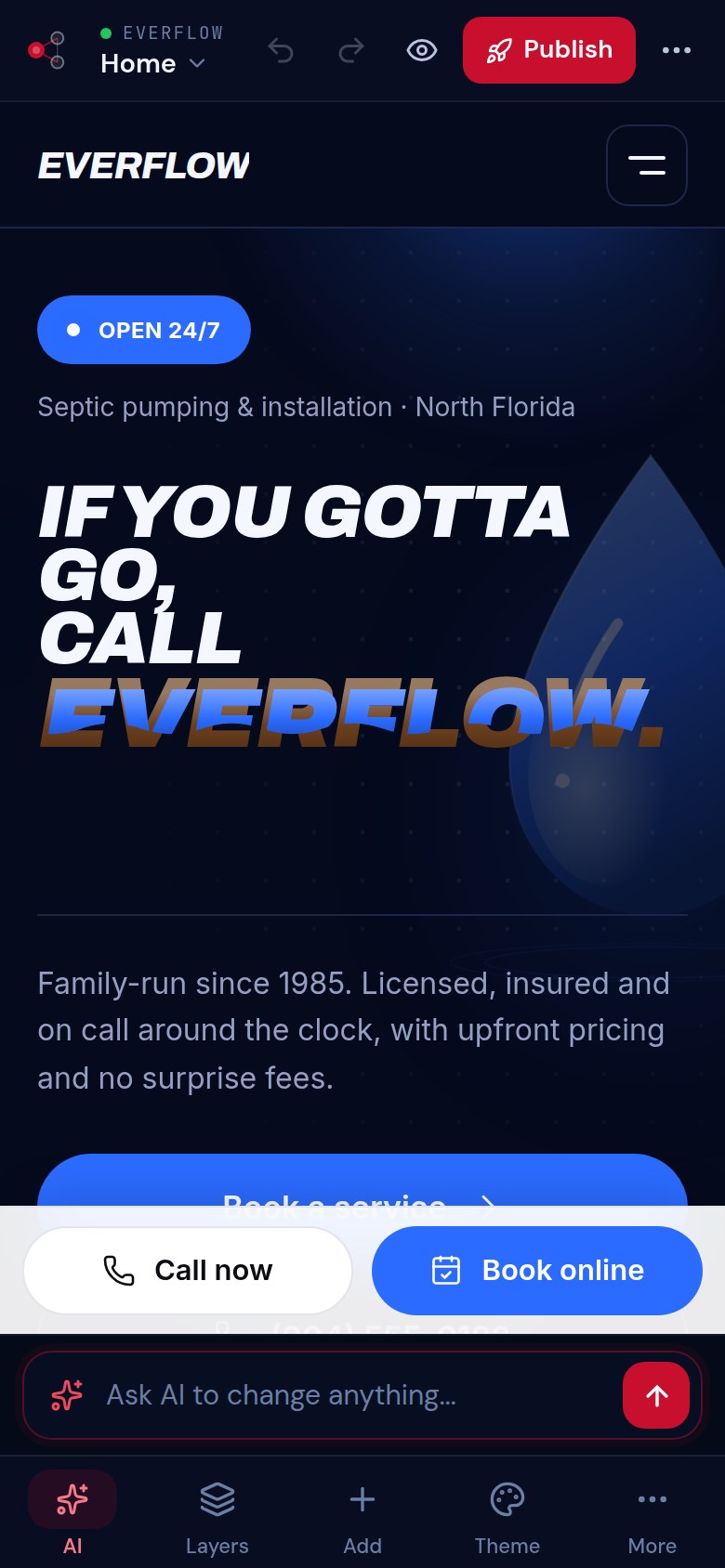
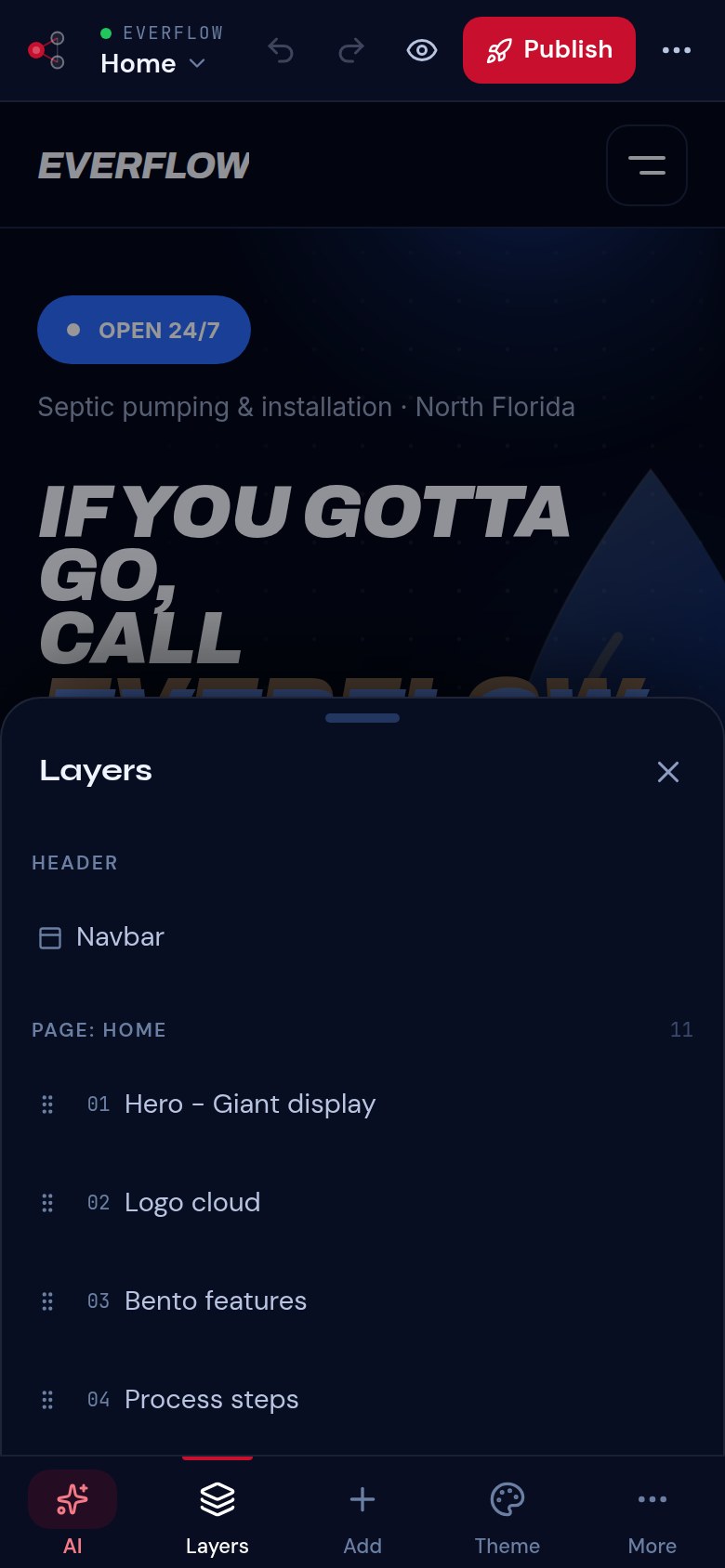
Below tablet width the editor switches to a touch-first layout built for thumbs: a full-height canvas, an always-there AI bar and bottom sheets for everything else.

  • Bottom sheets for layers, add, theme, inspector and site settings
  • Tap any element of a custom section to edit, move, duplicate or delete it
  • Ask the AI from the bottom bar
  • Undo, redo, preview and publish in the top bar
The phone editor: live canvas, an Ask AI bar and a bottom tab bar for AI, Layers, Add, Theme and More
The phone editor with the Layers bottom sheet open over the canvas
11Content and email

Edit once, update everywhere.

Headers, footers and any section can be global: change it once and every page that uses it updates. Blogs and project galleries live in collections, and posts can be scheduled to go live on their own.

  • Global sections shared across pages
  • Collections for blog posts, projects and more, each with an RSS feed
  • Scheduled posts appear on the site, in RSS and in the sitemap on time, without a republish
  • Site email from the business's own domain through Postmark, SendGrid, Resend, Mailgun or Amazon SES: form auto-replies, booking emails and client reports, with a delivery log
  • Account emails for password resets, billing and migrations
  • A dashboard that shows every site, its domain, its traffic and new leads at a glance
impartialcms.com/dashboard
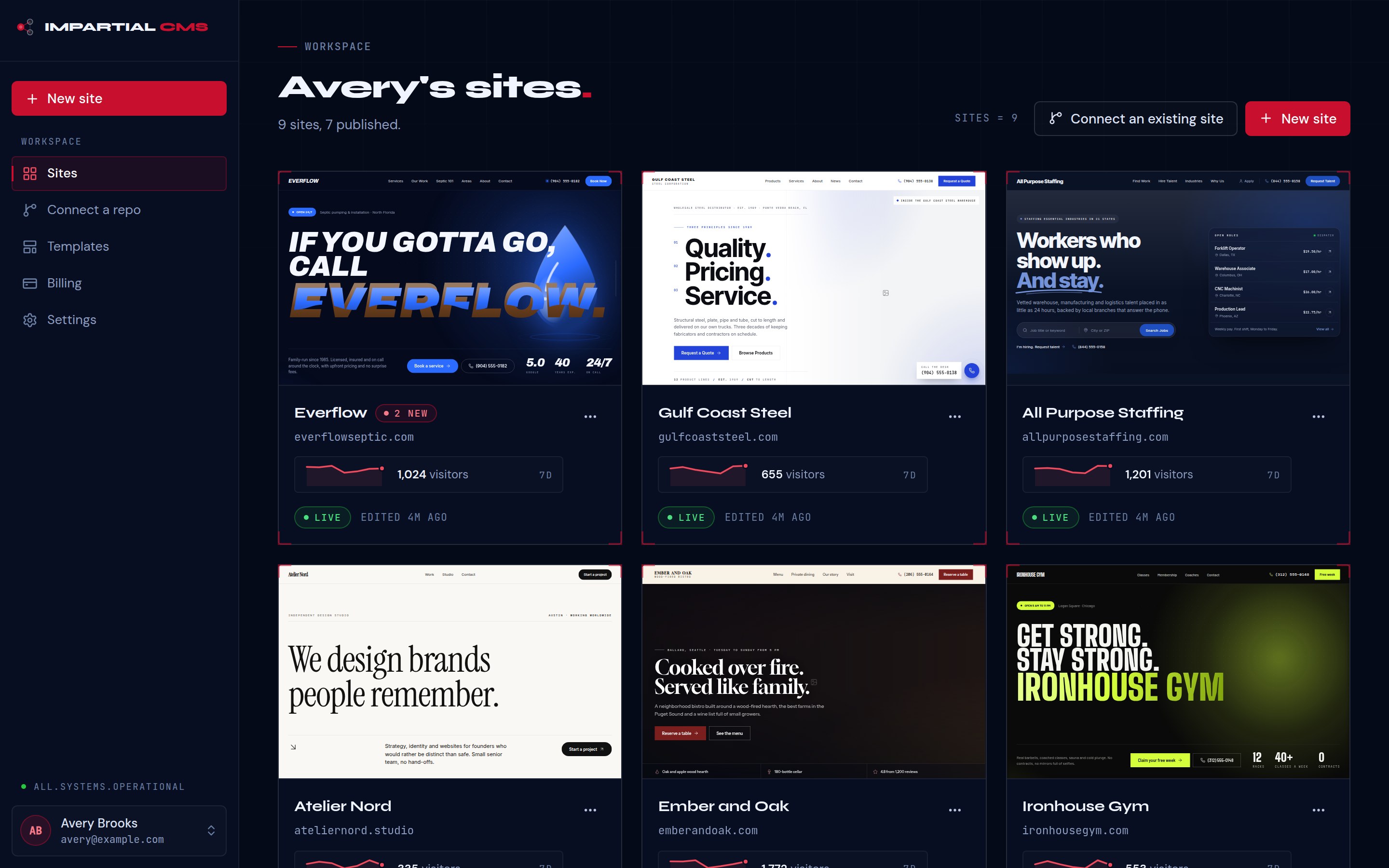
Workspace dashboard for Brooks Digital listing client sites with live previews, custom domains, 7-day visitor sparklines and new form submissions, with the workspace switcher in the sidebar
12SEO suite

Search-ready without a plugin.

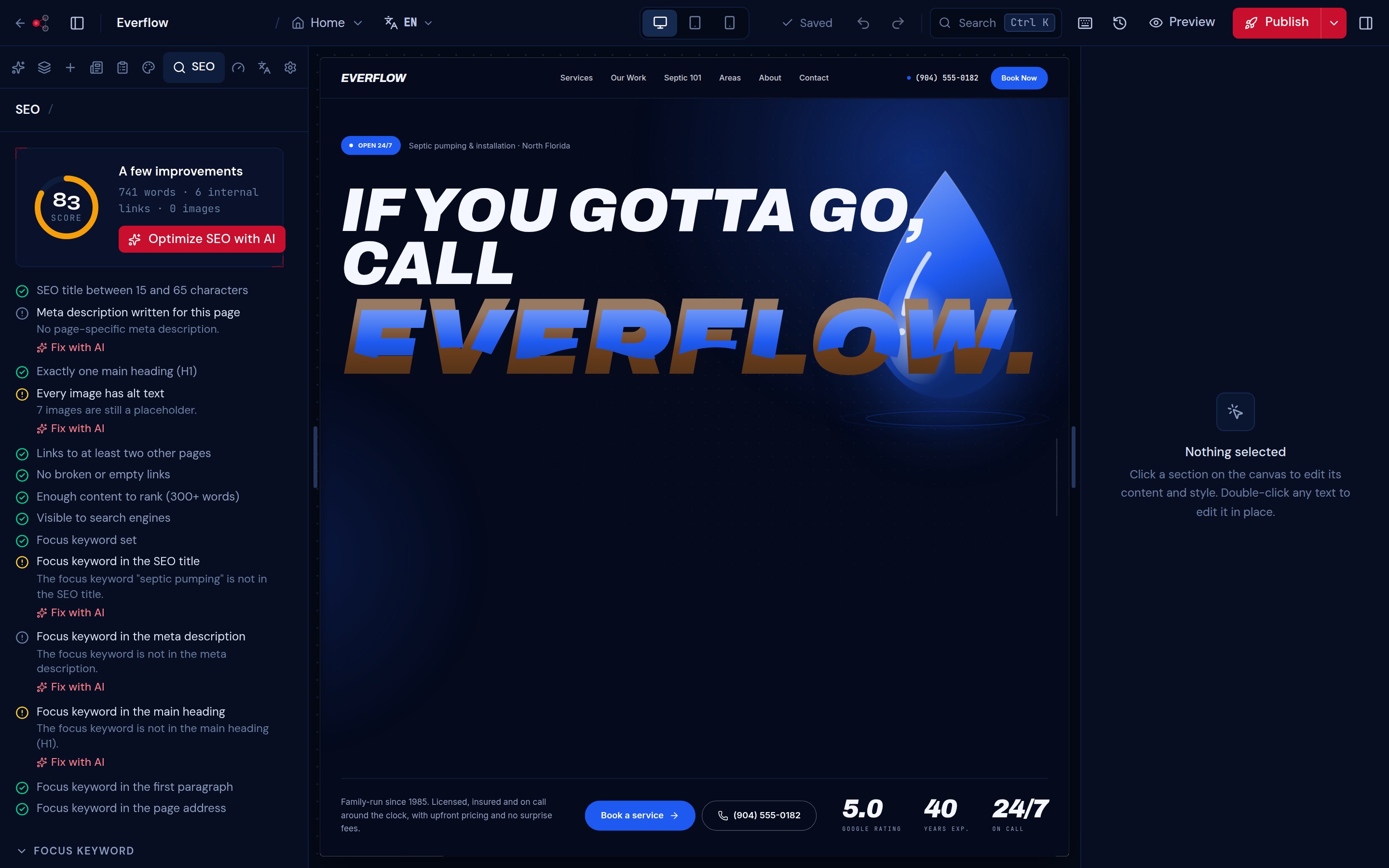
Every published site gets a sitemap, robots.txt, canonical links and structured data generated from your business details. In the editor, the SEO panel scores the page as you work and hands any fix to the AI.

  • A live SEO score and a 14-point checklist, including focus keyword placement, with Google and social previews
  • Optimize SEO with AI: focus keyword, meta title and description, alt text and internal links in one step, undoable from version history
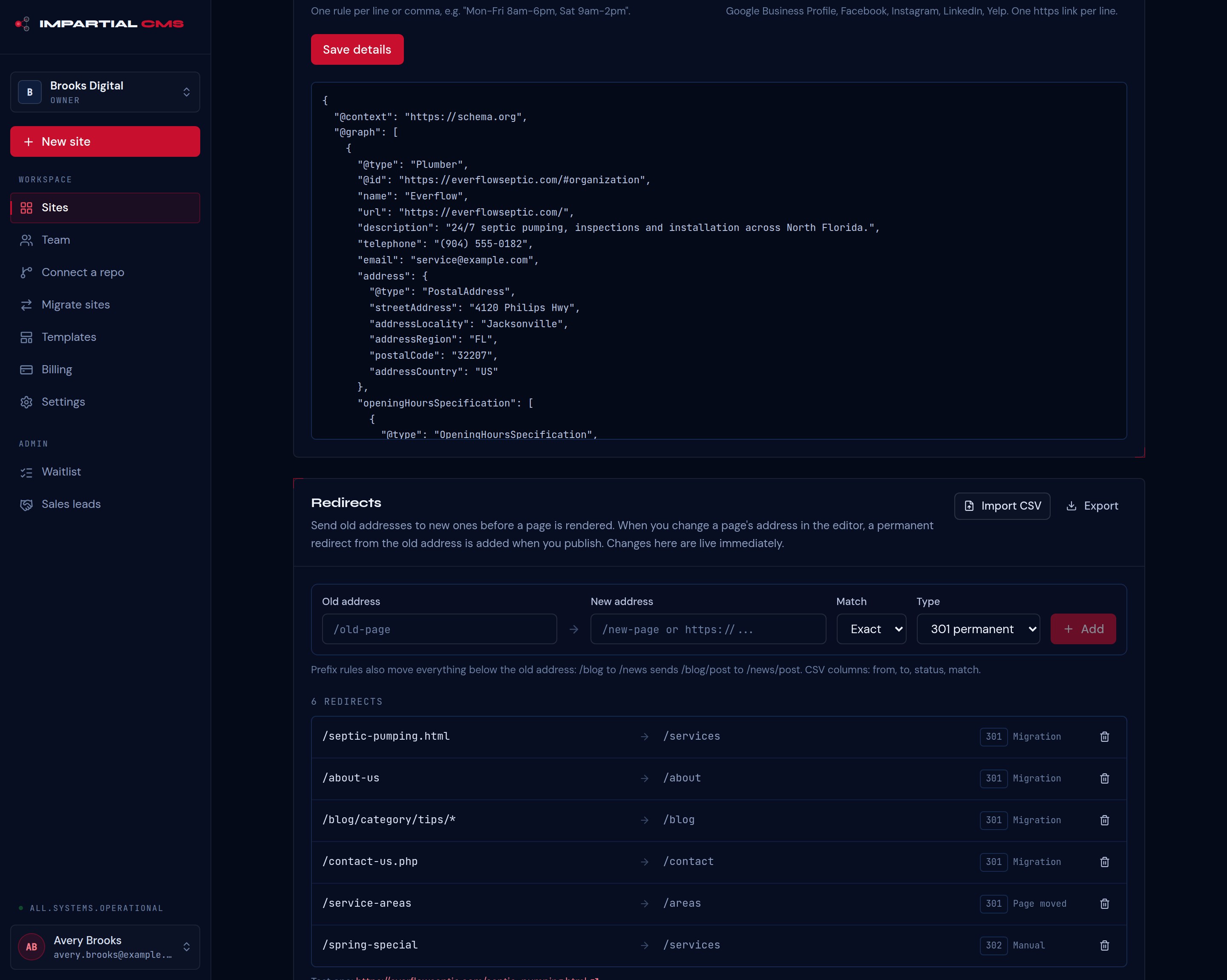
  • Structured data for 50+ business types such as Dentist, Restaurant, LegalService and Plumber, with address, hours, phone and profiles, plus breadcrumbs, articles, FAQs, offers and events
  • A branded share card for every page in your theme colors and display font, and a generated favicon and apple-touch icon
  • Redirect manager: 301 or 302, exact or prefix, CSV import and export, a migration's redirect map in one click, and automatic redirects when a page address changes
  • Search Console and Bing verification, GA4 or Plausible by ID, a custom 404 page with a true 404 status, and a staging switch that keeps a site out of search
impartialcms.com/editor/everflow
Editor SEO panel for the Everflow home page: a live score of 83, the checklist with focus keyword checks, Fix with AI links and an Optimize SEO with AI button beside the canvas
13Multi-language

One site, many languages.

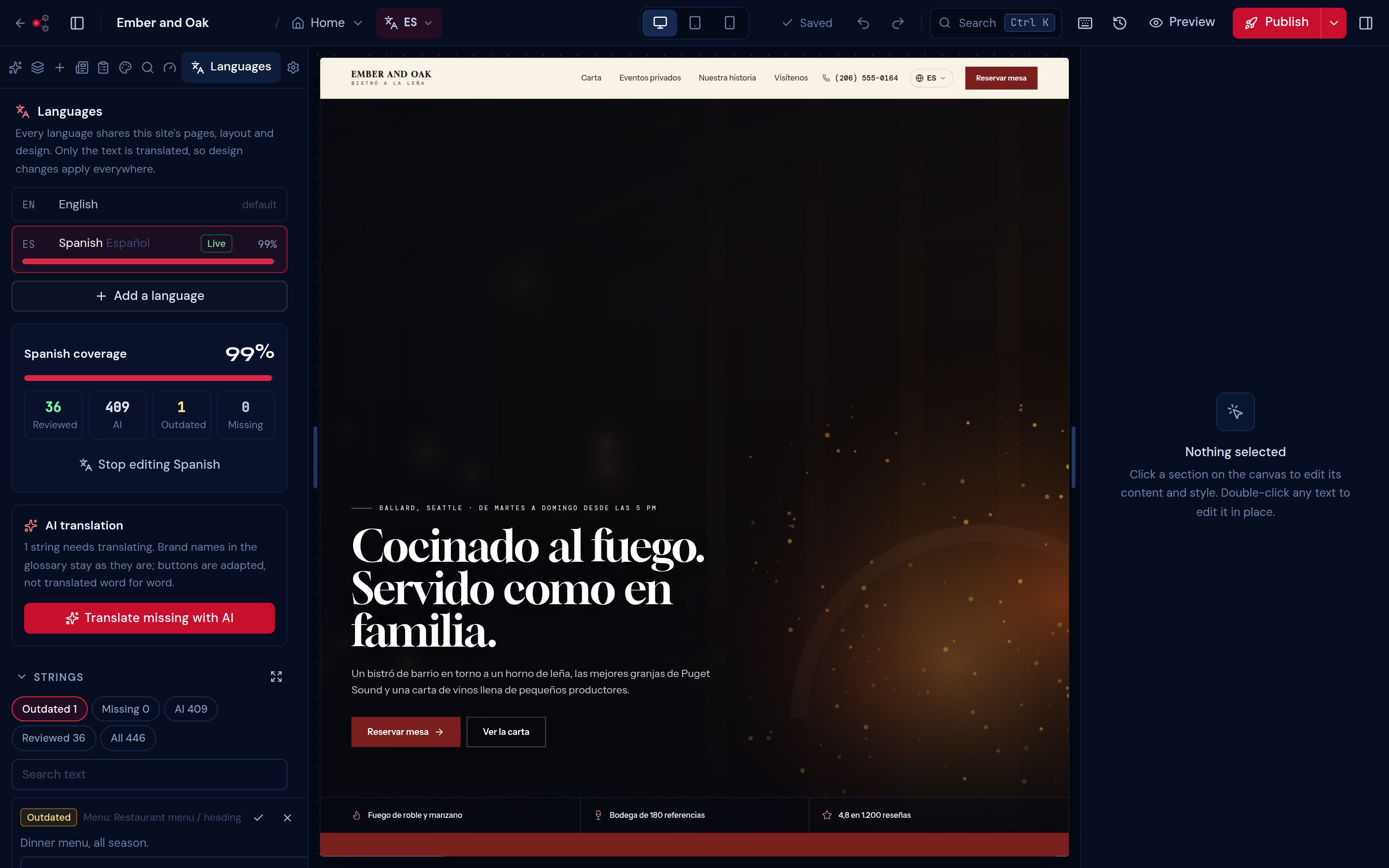
Add a language and the AI translates pages, menus, the footer, blog posts and SEO titles, usually in under a minute, with the credit cost shown before it runs. Every language shares one layout, so only the words differ.

  • Coverage per language, with outdated translations flagged when the source changes and refreshed in one click
  • Edit any language on the canvas or in a side-by-side table; clients can edit translations too
  • Native-sounding copy: a glossary keeps brand names, calls to action are adapted, formal or informal per language, and SEO lengths are respected
  • /es/ style addresses with optional translated slugs, hreflang and x-default, the right html lang, and untranslated pages kept out of search
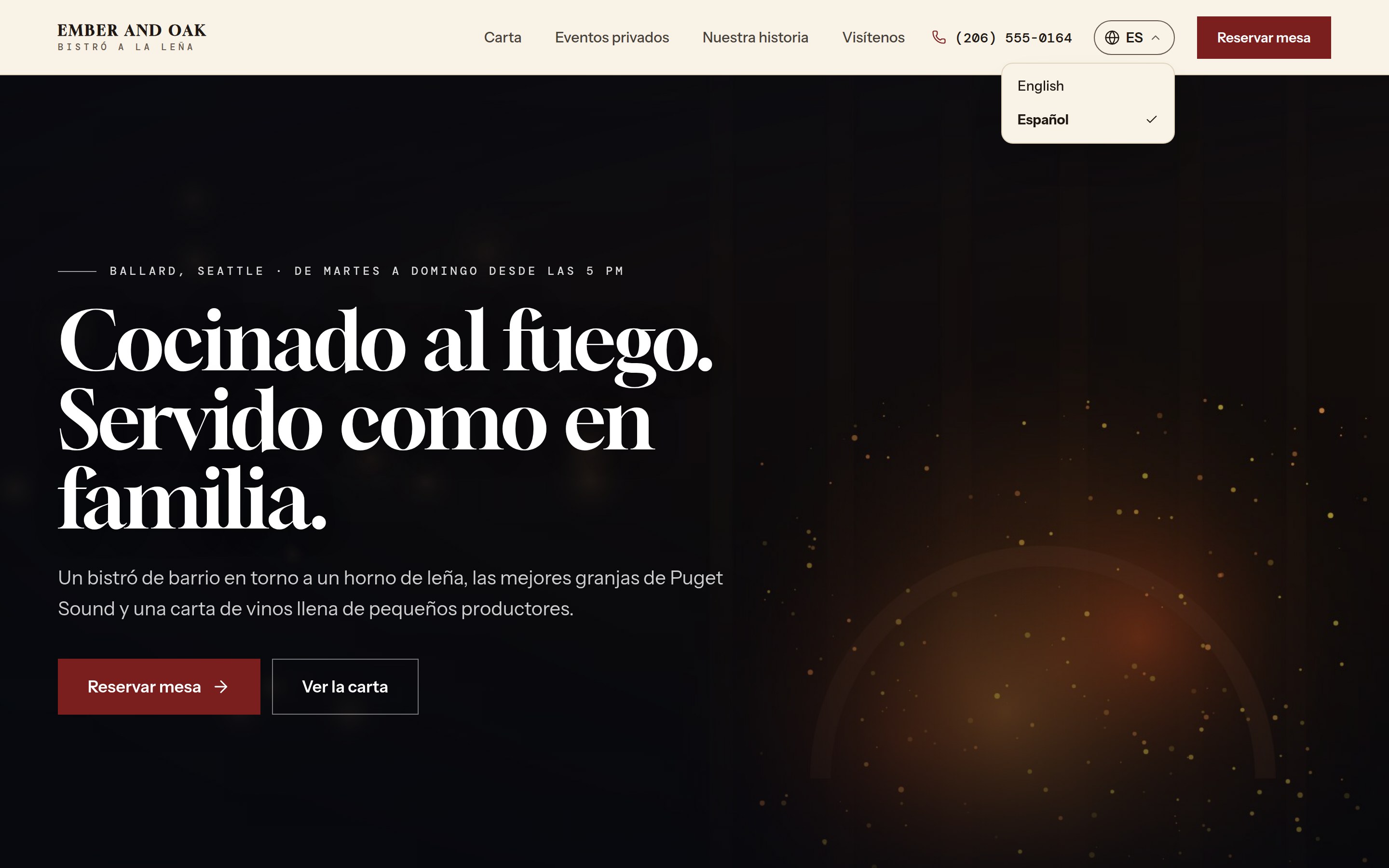
  • Right-to-left layout for Arabic and Hebrew, and a language switcher in the navbar or as a section
  • Works on Impartial hosting, custom domains, static export and Railway deploys
impartialcms.com/editor/ember-and-oak
Languages panel for Ember and Oak with Spanish live at 99% coverage, counts of reviewed, AI, outdated and missing strings, an outdated string flagged, and the canvas showing the Spanish home page
14Forms and leads

Forms that never lose a lead.

Build any form visually and use it in any form block, a dedicated form section or a custom layout. Every answer is routed, acknowledged and stored in a lead inbox your team can work from.

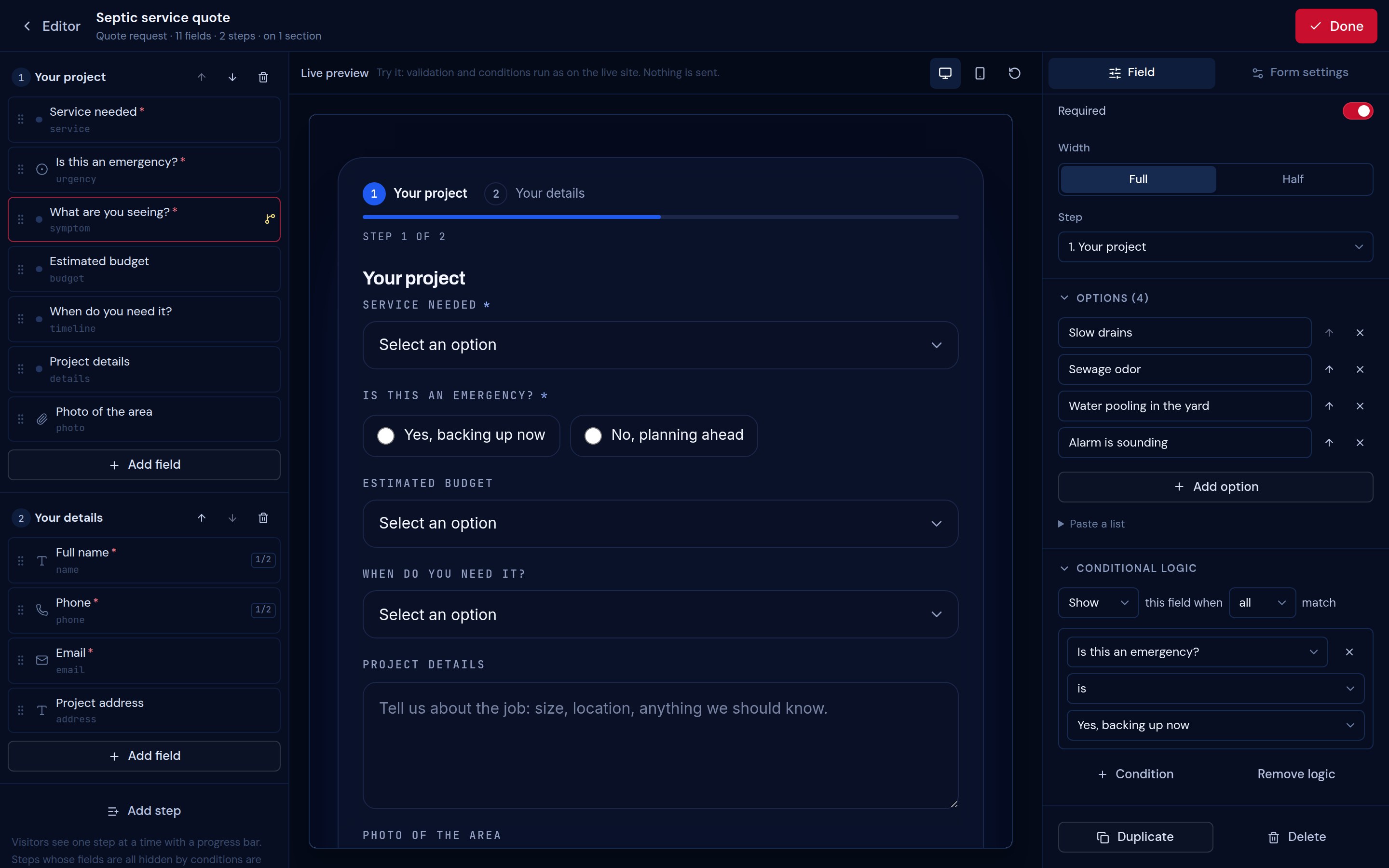
  • Multiple steps with a progress bar, questions that appear based on earlier answers, file uploads and validation
  • Routing by answer, an instant branded auto-reply and an optional daily digest
  • Spam defenses: a hidden honeypot, timing and link checks, allow and block lists, optional Cloudflare Turnstile and a spam folder with Not spam
  • Signed webhooks for Zapier and Make with retries and a delivery log, Slack alerts and Google Sheets rows
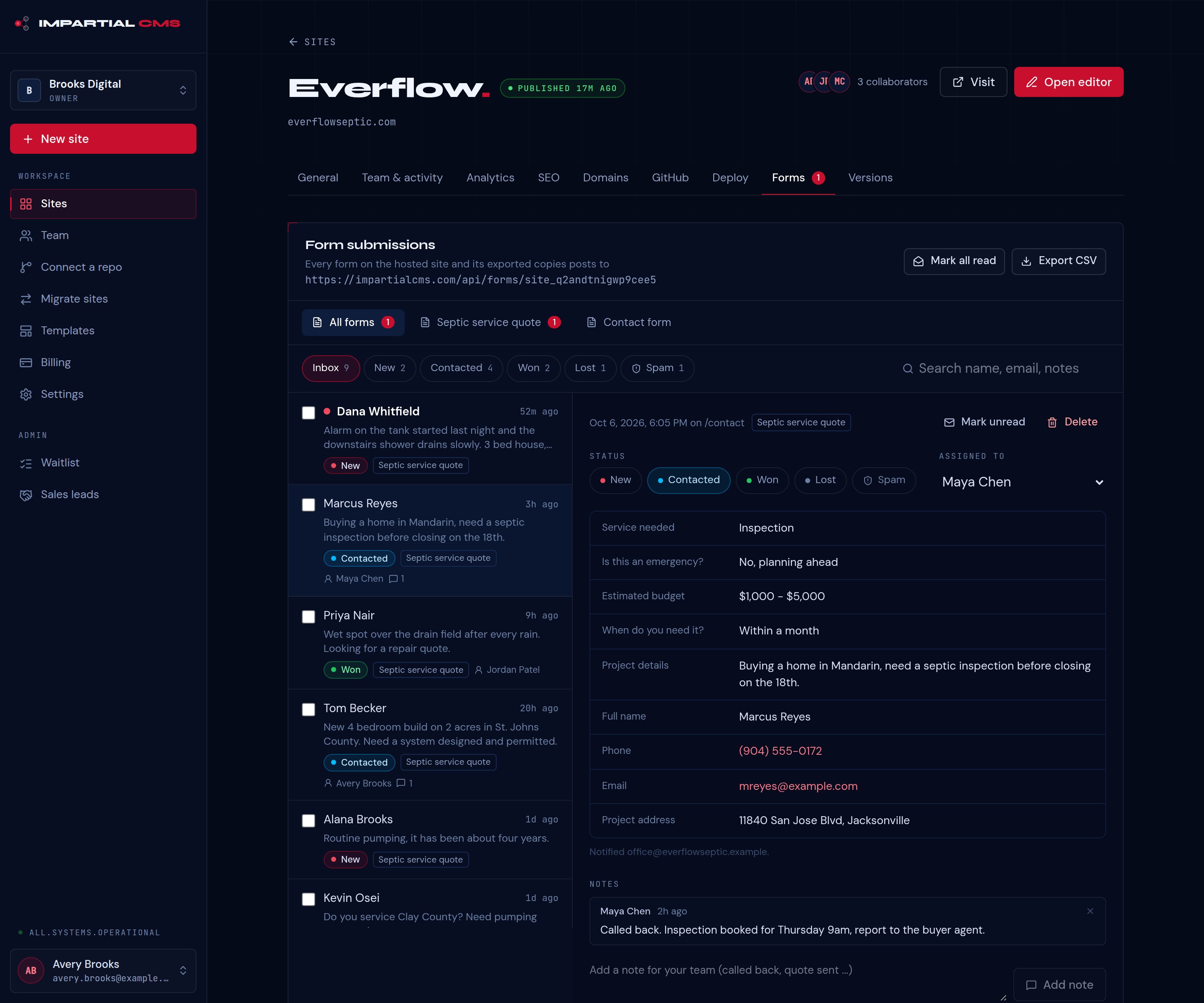
  • Lead inbox with tabs per form, search, statuses from New to Won, notes, assignment to teammates, CSV export and conversions per form in analytics
  • Private uploads visible only to your team; you choose whether clients see the inbox. Forms translate with the rest of the site
impartialcms.com/editor/everflow
Form builder for a two-step septic service quote: fields per step, a live preview with the progress bar, and conditional logic that shows a question only when the visitor reports an emergency
15Popups

Popups that convert without annoying anyone.

Build popups from the same sections as your pages, including forms and custom layouts, and decide exactly when they open, for whom and how often. Every popup reports its views and conversion rate.

  • Centered modals, corner slide-ins, top or bottom bars, full-screen takeovers and side drawers, with a separate layout for phones
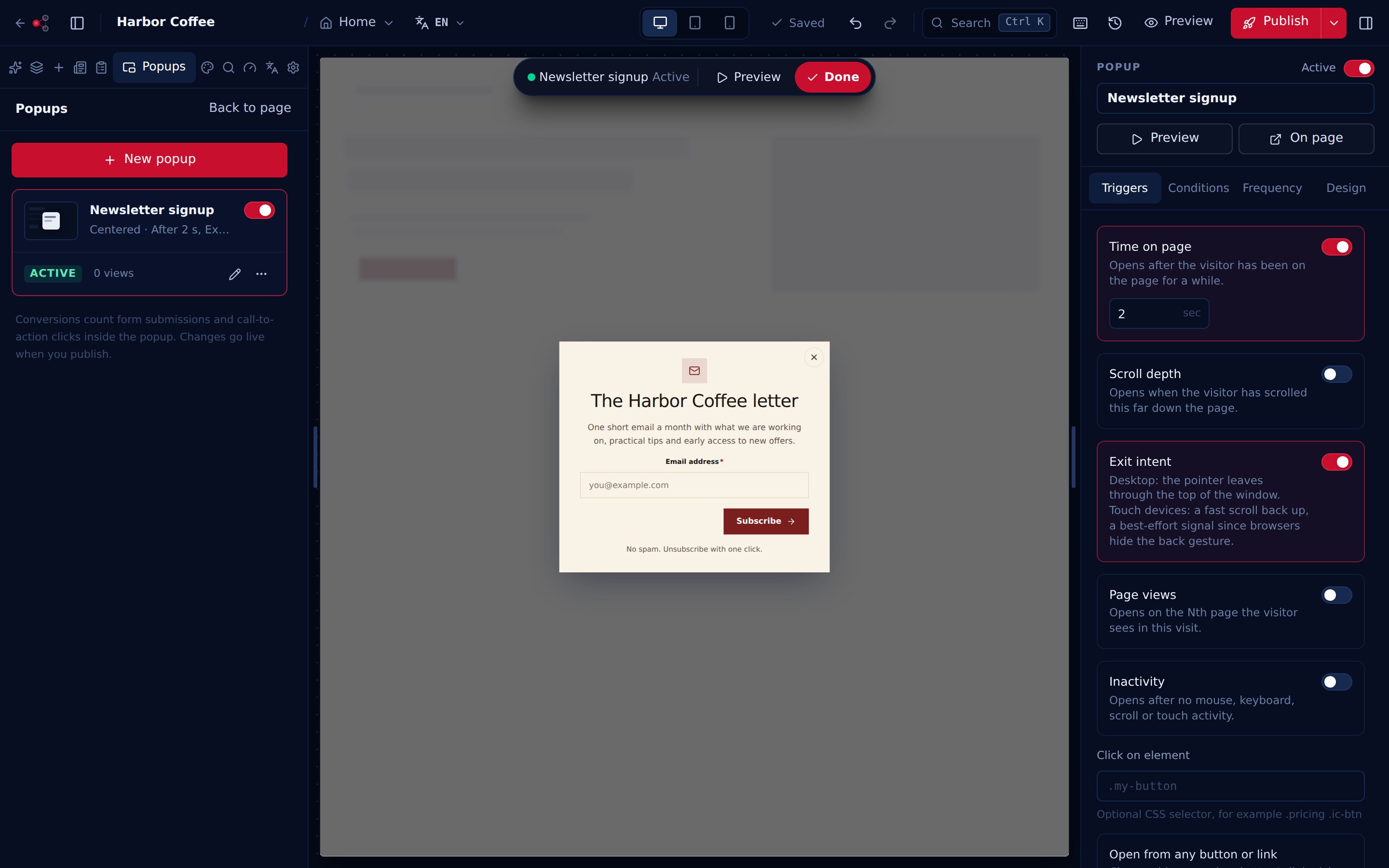
  • Opens after a delay, at a scroll depth, on exit intent, on the Nth page of a visit, after inactivity, or from any button or link
  • Targeting by page, device, language, new or returning visitor, campaign (UTM), referrer and a start and end date
  • Frequency caps: once per visit, every few days or until the visitor converts, and never again after they submit or click through
  • Accessible by default: dialog semantics, focus kept inside, Esc to close and focus returned; reduced motion respected
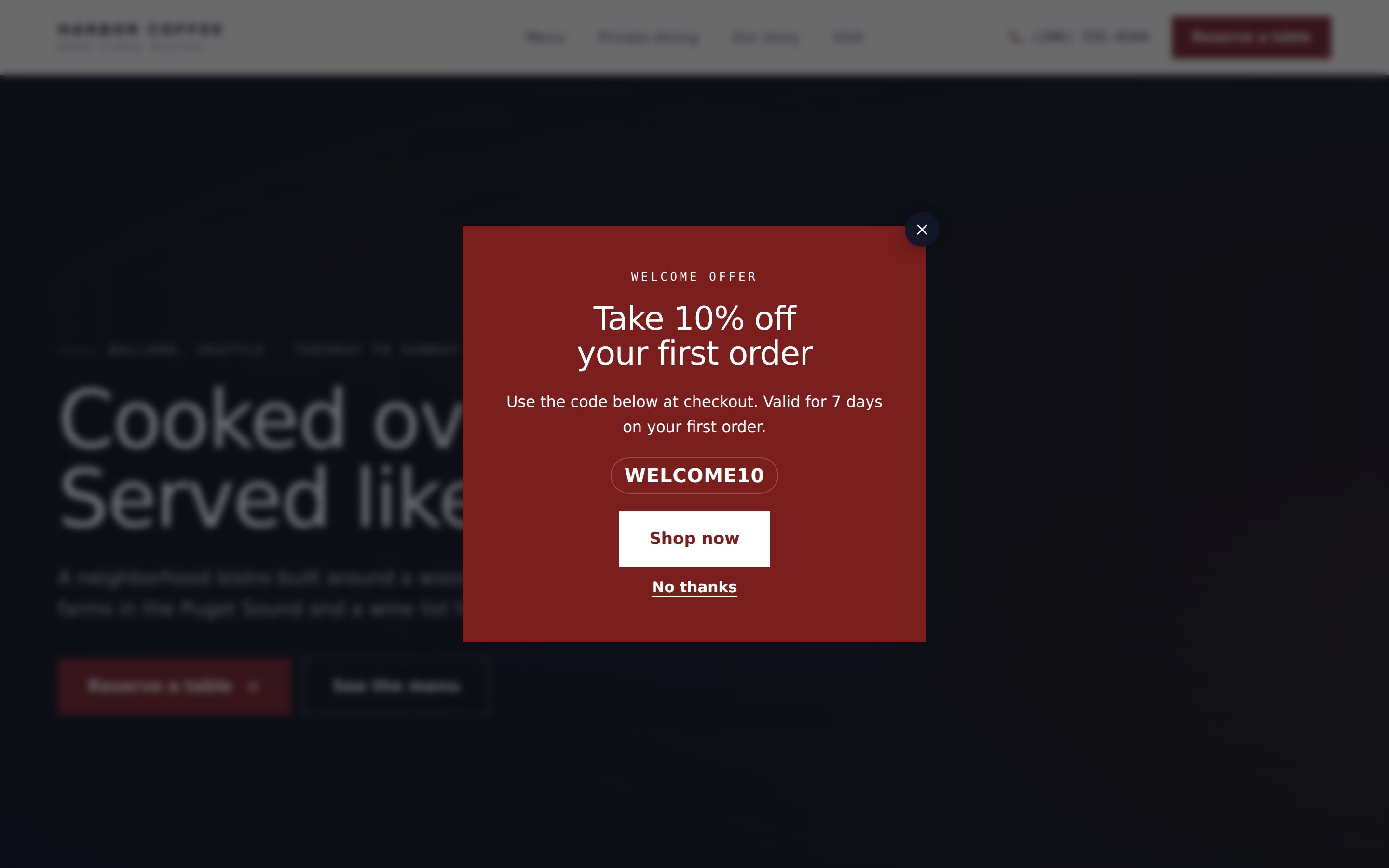
  • Templates for newsletter signups, lead magnets, discount offers, announcement bars, exit-intent consultations and age verification. Ask the AI for one in a sentence
  • Leads from popup forms land in the inbox with the popup as their source. Popups translate with the rest of the site and use no cookies
impartialcms.com/editor/harbor-coffee
Popup editing mode for Harbor Coffee: a newsletter signup popup open on the canvas with its email form, and its Triggers settings in the inspector with a delay and an exit-intent trigger
16Bookings and payments

Take bookings and payments on any site.

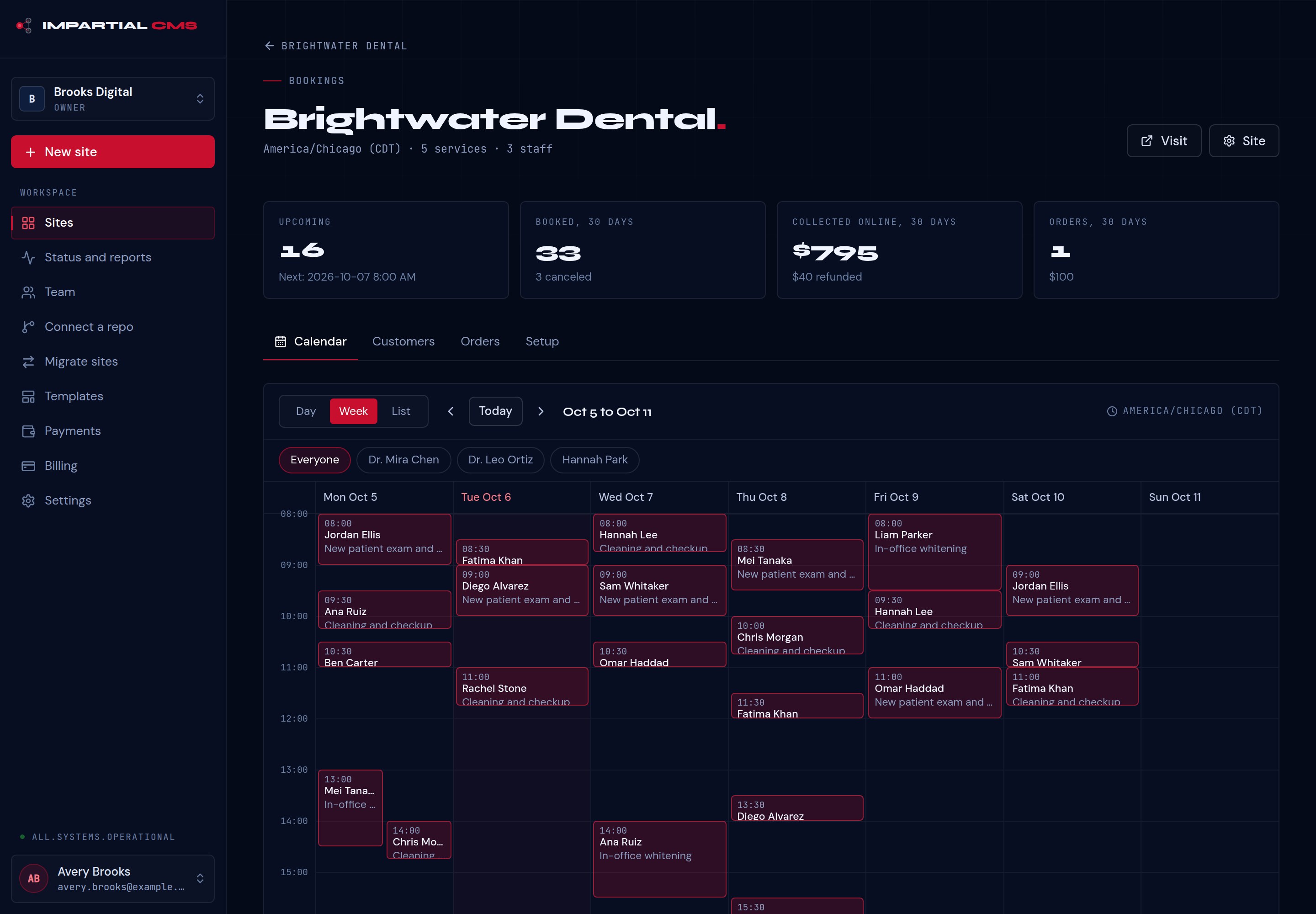
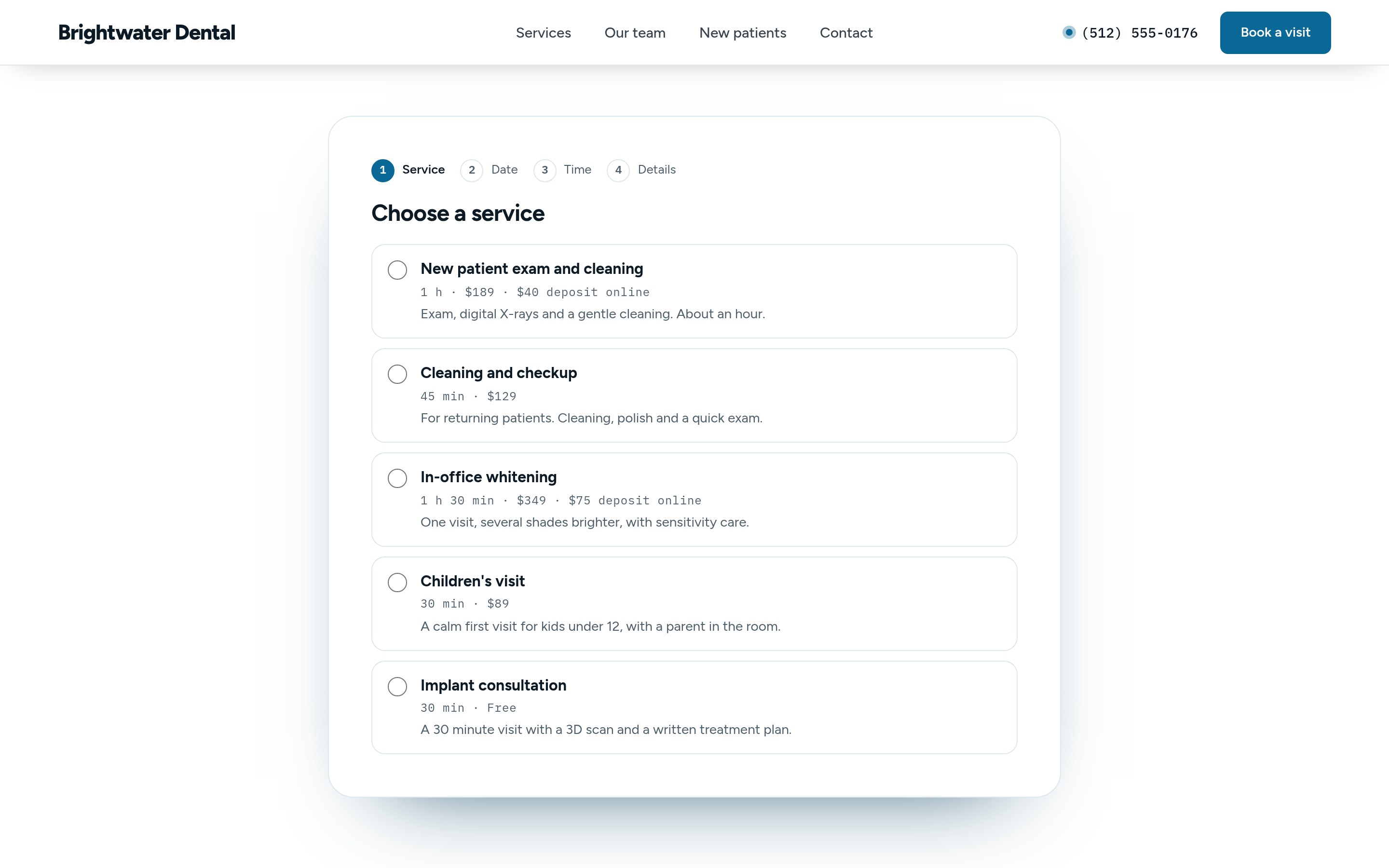
Visitors choose a service, a staff member, a date and a time in their own time zone, and get an instant confirmation with a calendar invite. Deposits or full prepayment are paid by card through the business's BrightStar Impact merchant account.

  • Card payments through BrightStar Impact merchant accounts: apply from your dashboard under Payments, and once BrightStar approves the account, deposits and prepayments are taken on a secure payment page. Card details never touch our servers, and there is no platform fee
  • Competitive rates with no contracts, and every month BrightStar donates a percentage of its profit on the account to the nonprofit the business chooses, from BrightStar's margin rather than the business's rates
  • Before the merchant account is approved, paid services are paid at the appointment and Buy buttons send order requests the business collects on pickup or by invoice
  • Fewer no-shows: reminders 24 hours ahead, a cancellation window the business sets, and self-service reschedule and cancel links with automatic refunds
  • No double bookings, even under load. Hours and time off per staff member, buffers between appointments, group classes and party sizes
  • A day, week and list calendar, customer history with notes and CSV export, one-click refunds and a calendar feed per staff member
  • Sell gift cards and simple products with a Buy button; gift card codes are emailed automatically
  • The AI builder sets up booking for salons, clinics, studios, consultants and restaurants, with services and prices from the brief and a ready /book page
  • Bookings and revenue count as conversions in analytics, and agencies can share bookings with clients read-only. Included in Pro and Agency
impartialcms.com/dashboard/sites/brightwater-dental/bookings
Bookings dashboard for Brightwater Dental: a week calendar of appointments per dentist and hygienist, with upcoming bookings, bookings in the last 30 days and deposits collected online
17Online store

Sell products from any site.

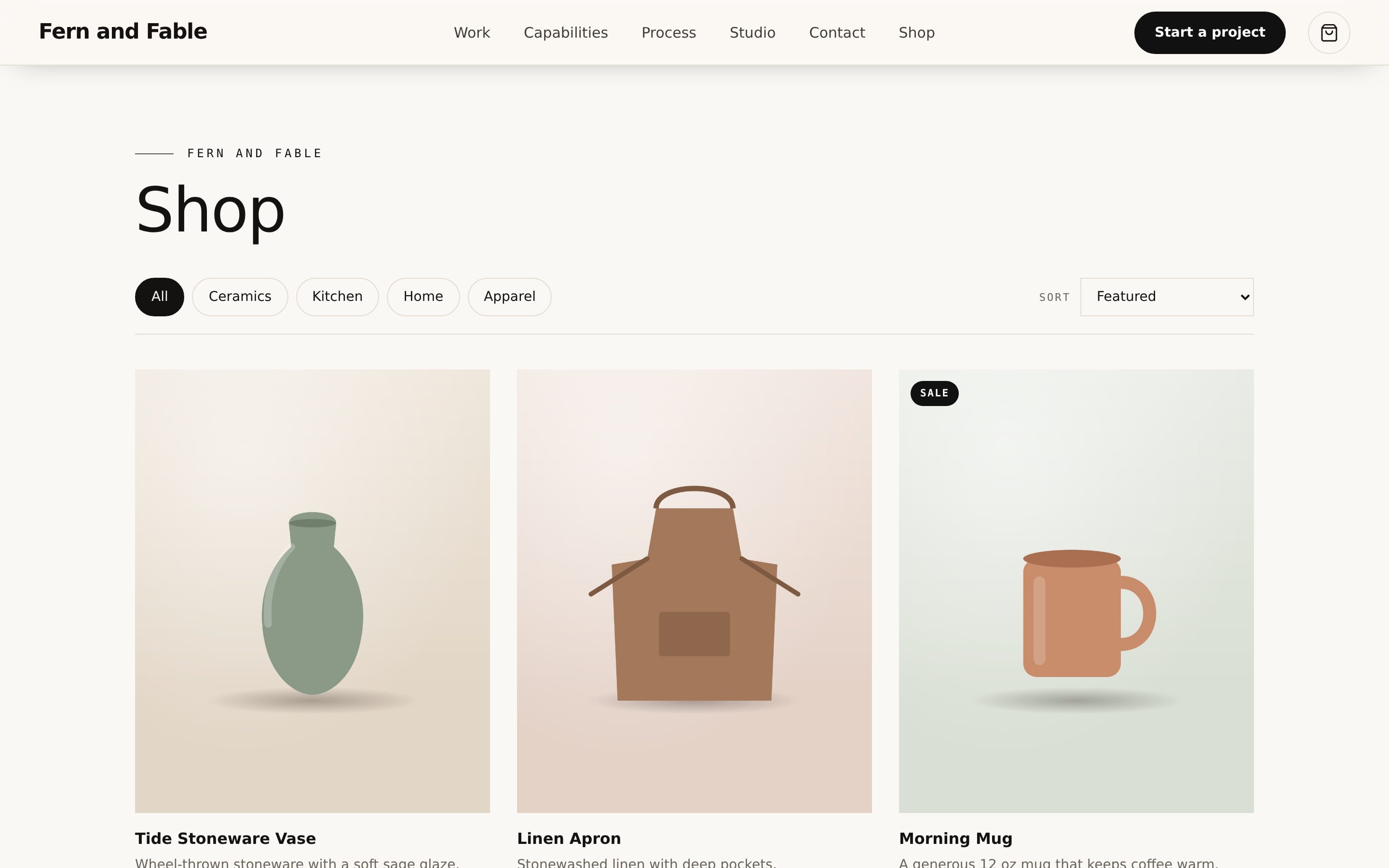
A store that looks like the rest of the site: a store page, product pages and a cart, with every order in one inbox. Customers pay by card through the business's BrightStar Impact merchant account; until it is approved, they send an order request and you arrange payment by invoice, bank transfer or on pickup. No plugins, no separate shop platform.

  • Products with photos, rich descriptions, compare-at prices, categories and digital or physical delivery, edited in the dashboard or imported from a CSV
  • Options such as size and color become variants with their own price, SKU and stock; sold-out options are crossed out and stock stops at zero
  • Product grid, featured product and product page sections in the site's theme, a cart button in the navbar and a cart drawer that works on phones
  • Prices, stock and shipping are checked on the server for every order; stock is taken when the card payment goes through or reserved when an order request is placed, and an order paid after its item sold out is flagged before you fulfill it
  • Flat-rate shipping, free shipping above an amount and local pickup, with the address collected for physical goods
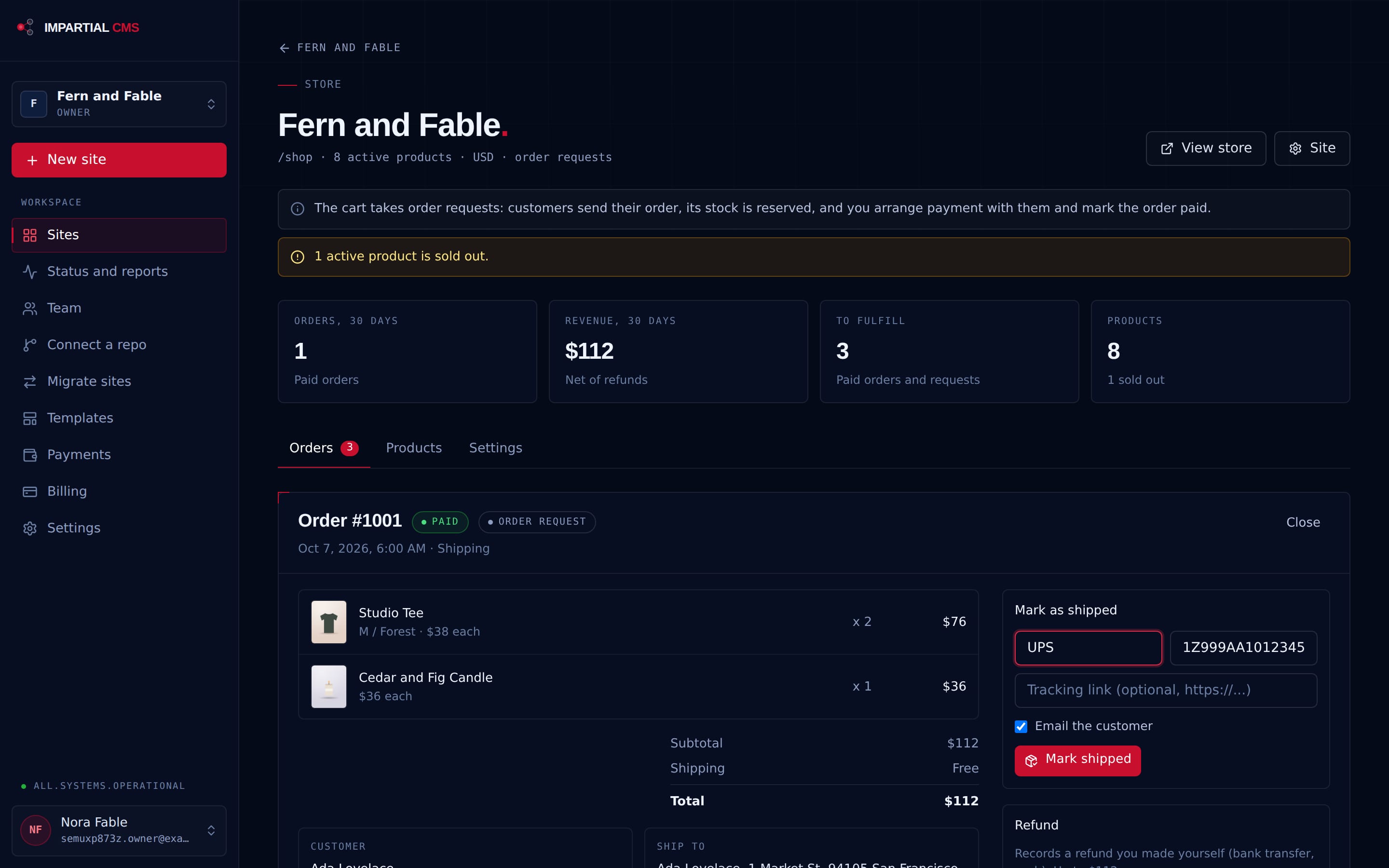
  • An orders inbox with statuses, Mark paid, Mark shipped with a tracking number that emails the customer, card refunds through the merchant account or recorded offline refunds, cancellations with restocking and CSV export, plus branded order emails
  • Product pages with Product structured data, price and availability, in the sitemap; orders and revenue in analytics and client reports. Included in Pro and Agency
impartialcms.com/dashboard/sites/fern-and-fable/store
Store dashboard for Fern and Fable: orders and revenue for the last 30 days, the orders inbox with status tabs and an order detail with items, totals, the shipping address and Mark shipped with a tracking number
18AI content engine

Publish every week, with nothing going live unapproved.

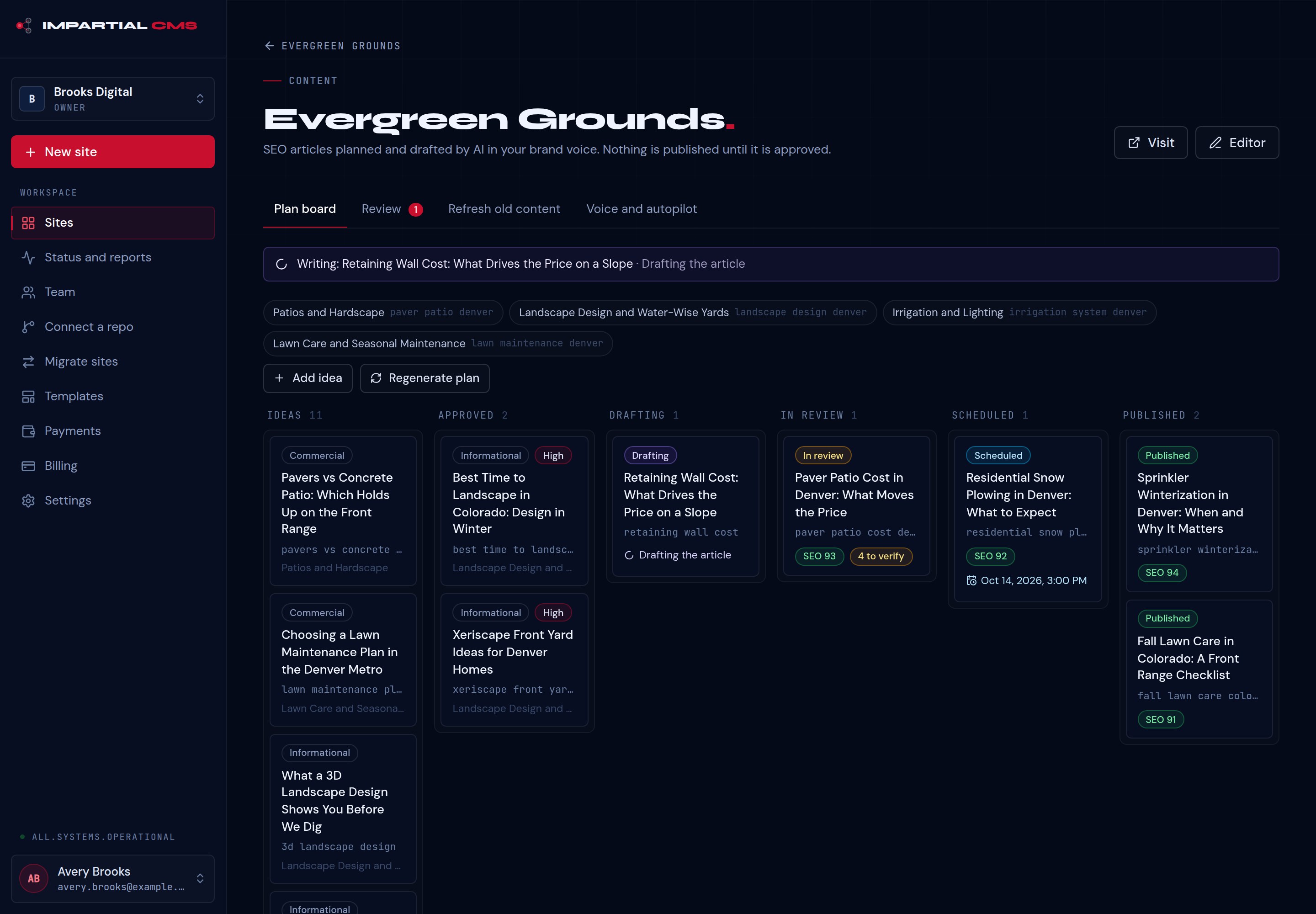
The content engine plans topic clusters and 12 to 24 article ideas, drafts each one in the brand voice it learned from the site, checks it against the SEO checklist and waits for approval. You see the credit estimate before every run.

  • A content plan with a focus keyword, search intent, outline, internal links and call to action per idea. Priority is labelled as an AI estimate, never a search volume
  • Drafts in the brand voice learned from the site's own copy, which you can edit, then a self-review against the built-in SEO checklist
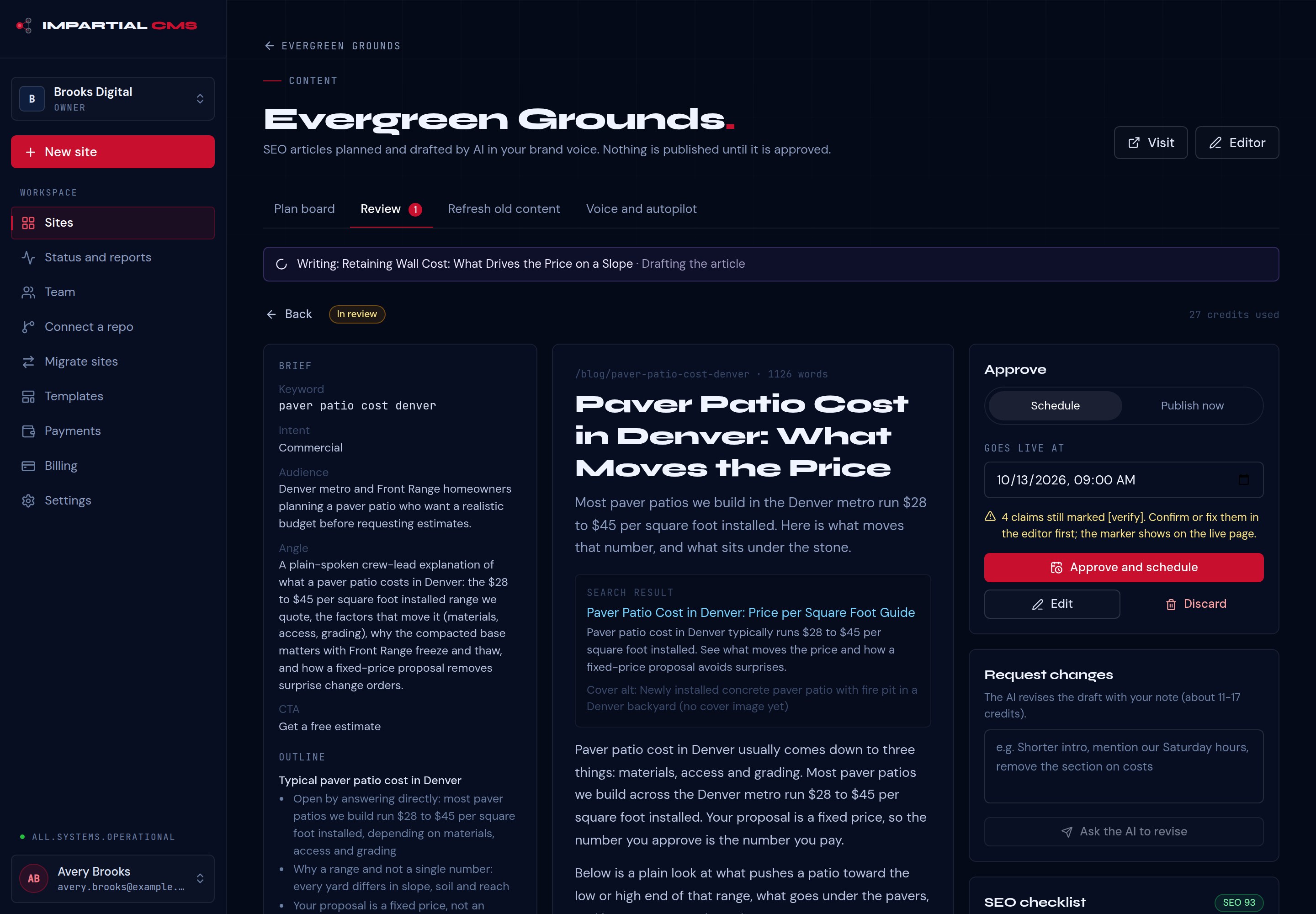
  • Guardrails: no invented statistics, quotes or reviews; unverified claims are flagged [verify]; links only to pages that exist; disclaimers for legal, medical and financial topics
  • Approve and schedule, request changes, or edit in the visual editor. Clients can review drafts and comment
  • Optional autopilot writes 1 to 3 drafts a week and emails approvers. Auto-publish after a no-objection window is opt-in, and never for regulated industries
  • Refresh older posts with side-by-side diffs, and translate approved posts automatically on multi-language sites
  • About 25 to 37 credits per article and 20 to 33 per plan. A real run: a 1,126-word paver patio cost guide for a Denver landscaper, scoring 93 on the SEO checklist
impartialcms.com/dashboard/sites/evergreen-grounds/content
Content plan board for Evergreen Grounds: topic clusters and article ideas moving from ideas to approved, drafting, in review, scheduled and published, with SEO scores and claims to verify
19Monitoring and client reports

Know every site is up, and prove it every month.

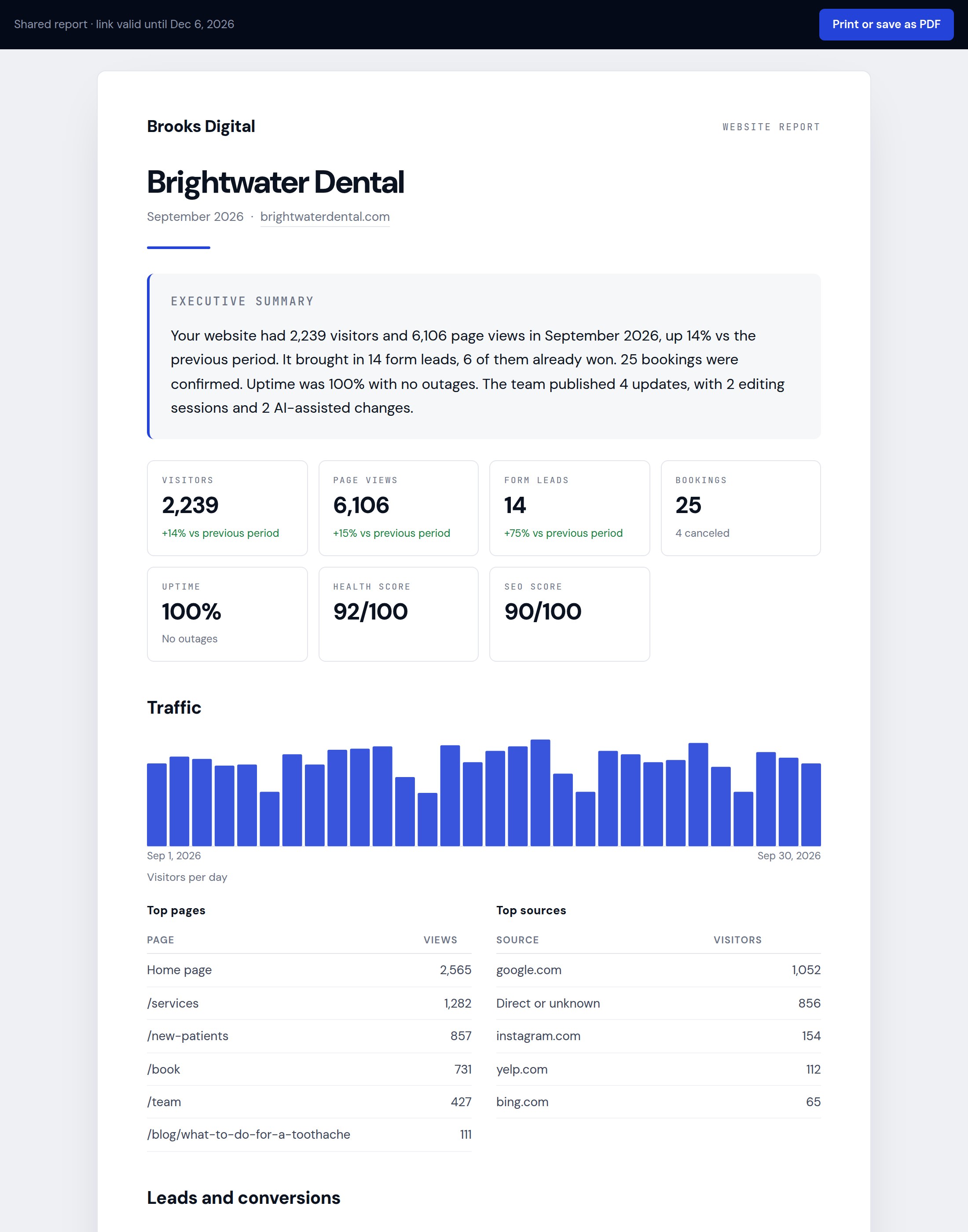
Every site is checked every 5 minutes and scanned for problems every day. Once a month, each client gets a branded report with the numbers that show what their site did for them.

  • Uptime checks every 5 minutes: status code, response time, certificate expiry, an expected-text check and redirects. Email and Slack alerts after 2 failed checks, with recovery notices
  • 90 days of uptime history and response time charts per site
  • Daily health scans for broken links, missing alt text, SEO regressions, page weight, mixed content and expiring certificates and domains, with Fix with AI for content issues
  • Monthly client reports in your agency's logo and color: traffic, top pages and sources, leads by status, bookings, uptime, health, SEO score change, content published and a work log
  • An AI executive summary that only uses the report's own numbers, about 1 credit per report
  • A private share link that expires and can be revoked, with no client login and a print-ready PDF, plus an automatic monthly email to clients
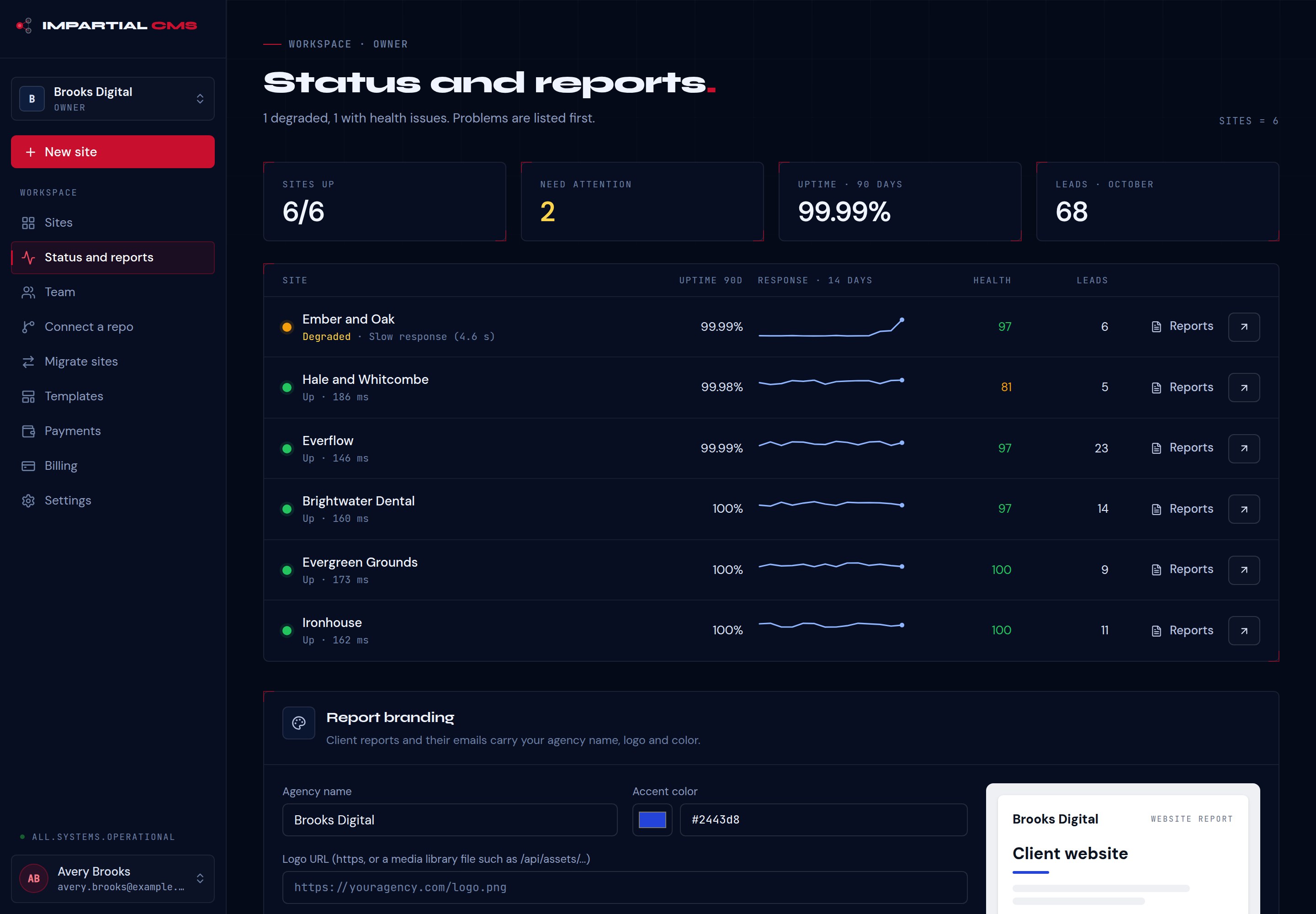
  • A command center for agencies: every site's status, uptime, health score and leads this month, problems first. Clients only see their own sites. Included on every plan
impartialcms.com/dashboard/monitoring
Status and reports for the Brooks Digital workspace: six client sites with status, 90-day uptime, response time sparklines, health scores and leads this month, problems listed first
20Team workspaces

Your team and your clients in one workspace.

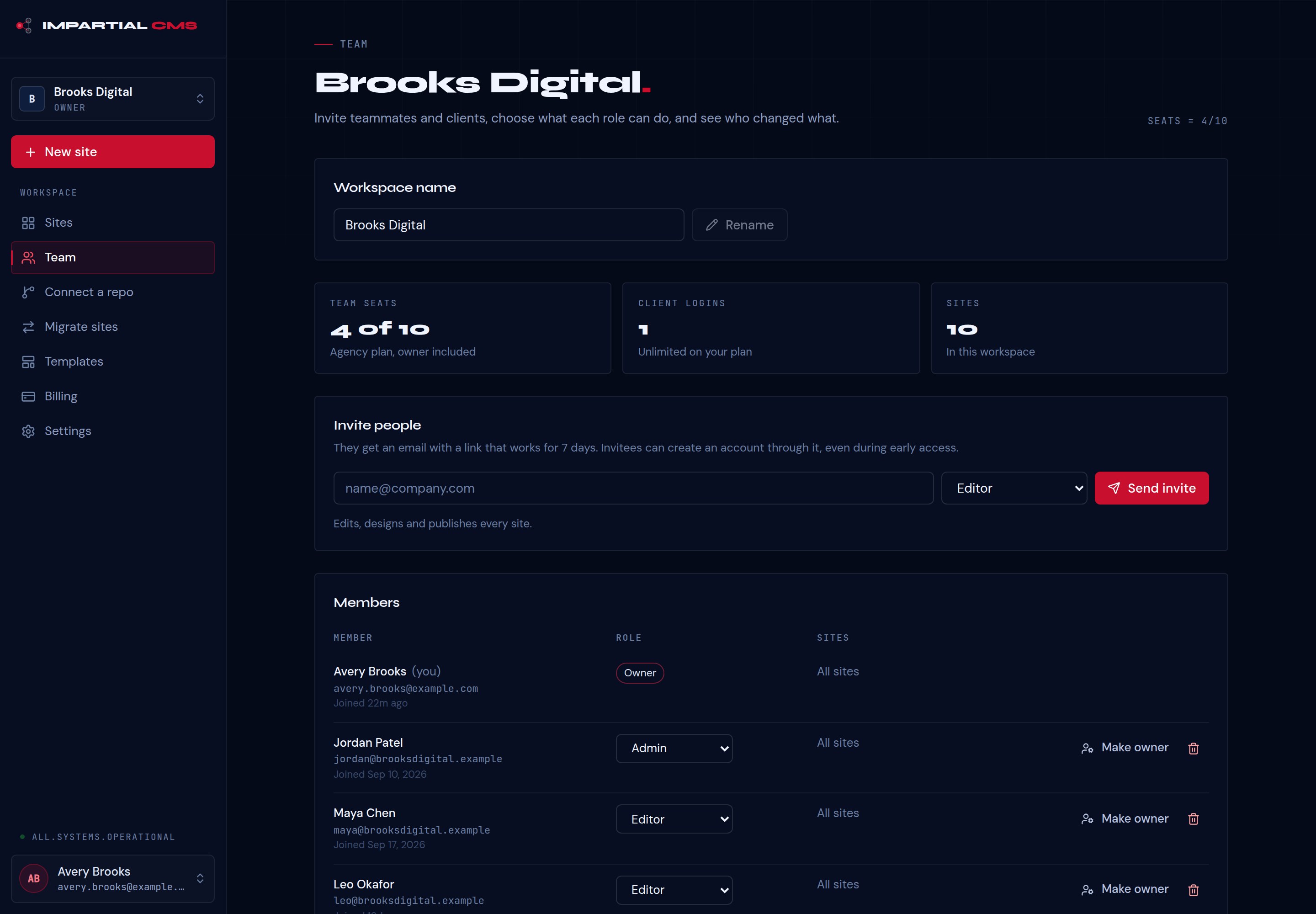
Every account has a workspace. Invite teammates and clients by email, give each a role, and switch between workspaces from the sidebar. Clients get a safe, content-only editor for the sites you share with them.

  • Owner handles billing and can transfer ownership; billing moves with it
  • Admins manage the team; editors edit, design and publish every site
  • Clients edit text, images and blog posts on their own sites, and cannot change the theme or layout, delete sections, see billing or see other sites. Enforced on the server and in the AI
  • Optional Clients can publish switch per site
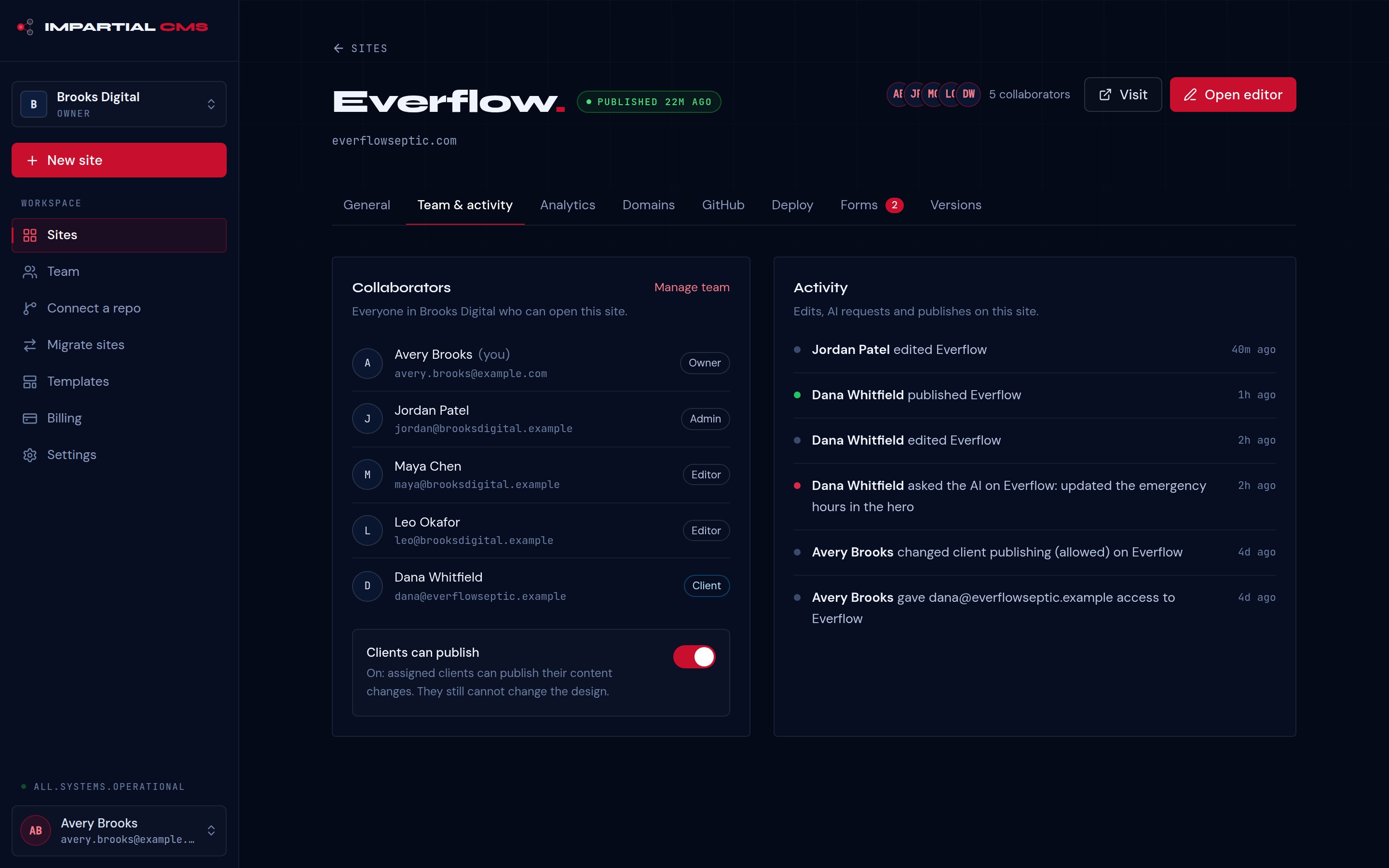
  • Activity log of publishes, edits, AI requests, invites and role changes, per site and per workspace
  • Invite links work for 7 days, even during early access. Everyone's AI use draws on the workspace credits
  • Pro: 2 team seats. Agency: 10 team seats. Unlimited client logins on both
impartialcms.com/dashboard/workspace
Team page for the Brooks Digital workspace: 4 of 10 team seats used, one client login, an email invite form with a role picker and the member list with owner, admin and editor roles
21Site audit

Audit every page before it ships.

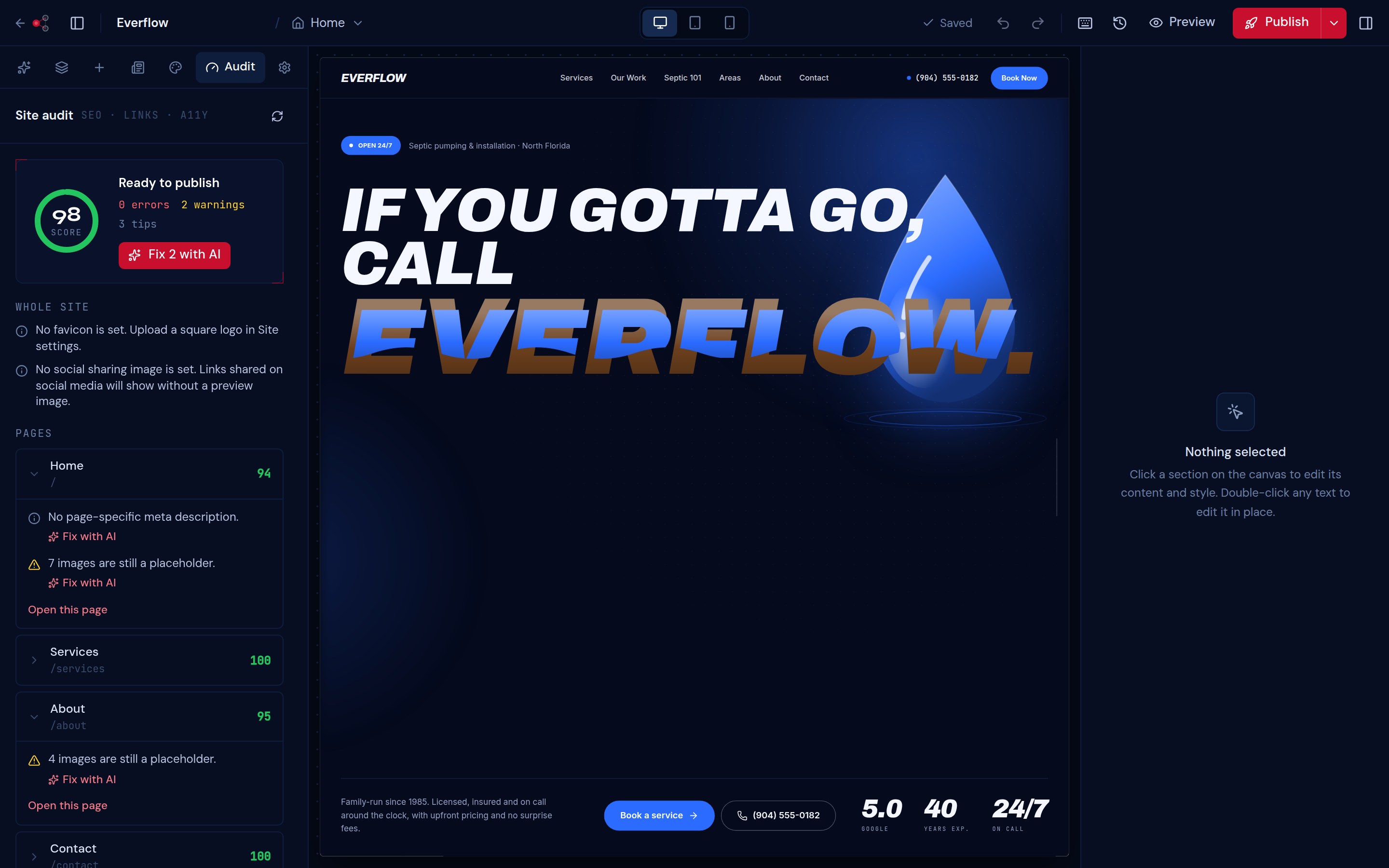
Alongside the per-page SEO panel, the audit scores the whole site for SEO, broken links and accessibility, explains each issue in plain language and hands it to the AI with one click.

  • Site and page scores with errors, warnings and tips
  • Missing titles, descriptions, alt text, headings and links
  • Fix with AI for one issue or all of them
impartialcms.com/editor/everflow
Site audit panel showing a score of 98, errors, warnings and tips per page with Fix with AI buttons
22Performance and accessibility

Quality you can measure.

Fast, accessible pages are the default, not a setting. Published sites are static HTML with only the CSS each page uses, and every template is tested for accessibility before it ships.

QA.SCORE
99.6/ 100

Average AI build quality score

Every build is scored by a deterministic linter across design, structure, copy, brand, images and blocks, then critiqued and fixed automatically. Average across 20 briefs in our internal testing.

A11Y.AXE
0violations

Accessibility across all 12 templates

Every starter template passes automated axe checks with zero violations, with WCAG AA contrast in every preset, and scores 98 to 100 on the quality linter.

PAGE.WEIGHT
27KB

Transferred for a template page

Published pages are lean static HTML with per-page CSS and a small runtime for interactive blocks. No framework JavaScript, no hydration. Fonts and images not included.

23Analytics

Privacy-friendly analytics, built in.

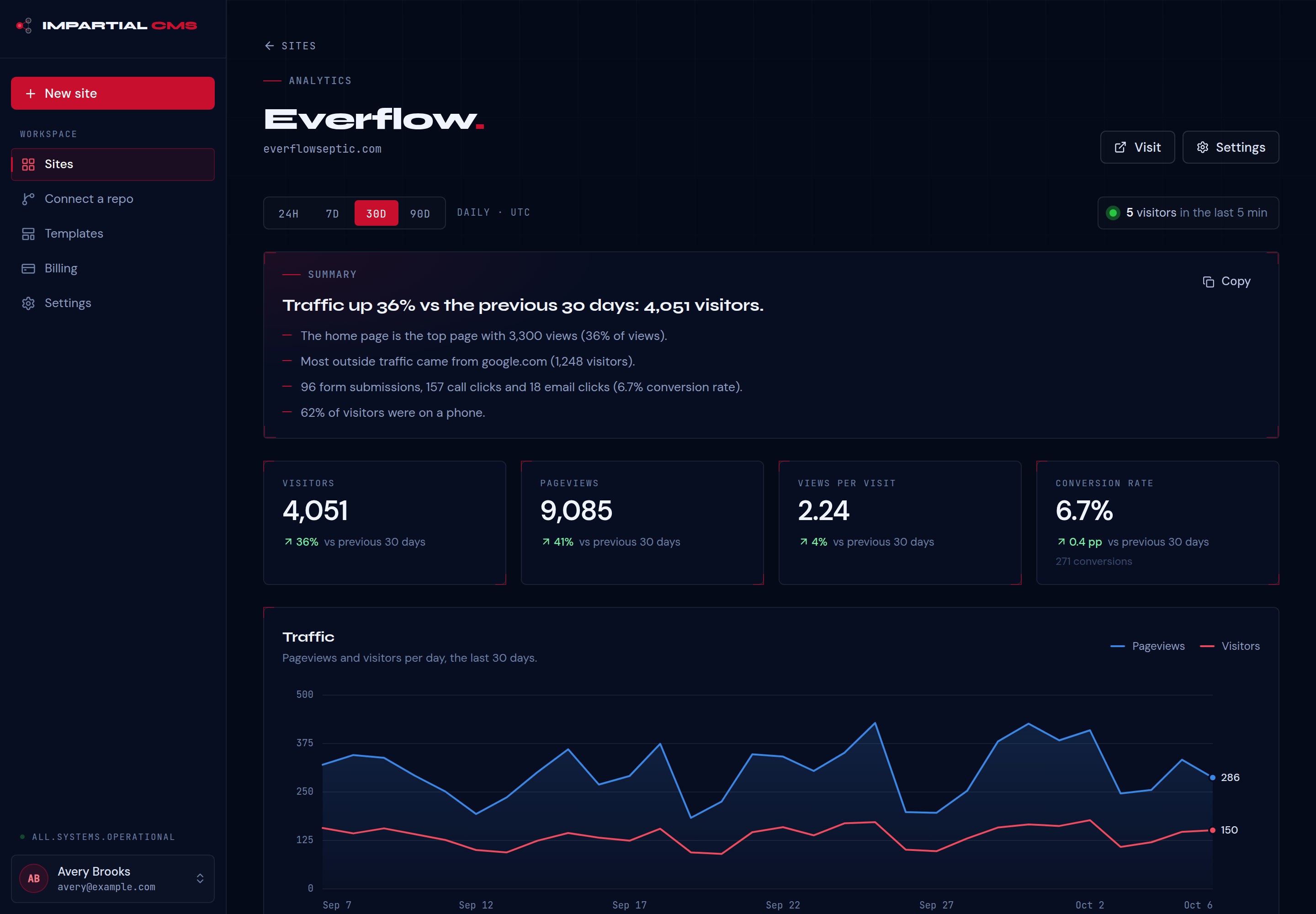
Every published site is measured without cookies or third-party scripts. See who visits, where they came from and which ones turned into leads.

  • Visitors, pageviews, top pages, sources, devices and countries
  • Conversions: form submits, call clicks and email clicks
  • Realtime visitors and a plain-language summary for client reports
  • No cookies: visitors are counted with a salted hash that rotates daily
impartialcms.com/dashboard/sites/everflow/analytics
Built-in analytics for a published site: plain-language summary, visitors, pageviews, conversion rate and a 30-day traffic chart
23Hosting and deploys

Publish in one click, host anywhere.

Sites are hosted from the moment you publish, as lean static pages with no framework JavaScript, with unlimited sites on the Agency plan. Every publish can sync the site to your GitHub repository. When a client needs their own infrastructure, give the site a dedicated Railway deploy on your own Railway, with your domain attached and HTTPS issued by Railway, or export it.

PUB

Instant publish

One click puts the site live. Every publish is a version you can restore.

DNS

Custom domains with SSL

Add the records we show you; certificates are issued automatically via Railway, on Impartial hosting or on your own Railway deploy. Subdomains work out of the box.

RWY

Dedicated Railway deploys

Give any site its own Railway project built from its GitHub repo. Every sync redeploys, and your domain is attached with the DNS records shown.

EXP

Static export and GitHub sync

Clean static HTML to a zip or your repository in one commit, automatically on every publish. No lock-in.

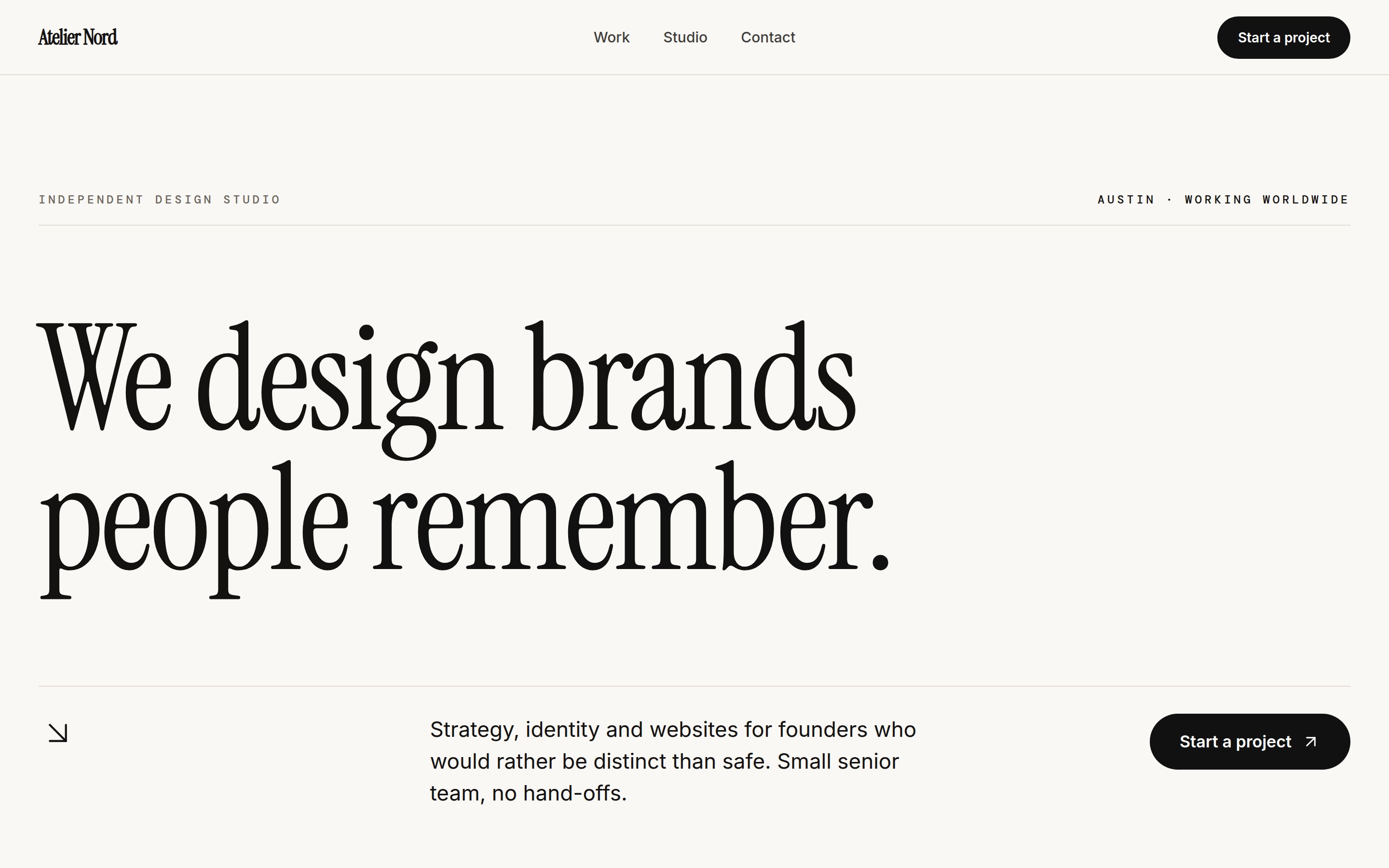
ateliernord.studio
Published site for Atelier Nord, a warm minimal design studio portfolio with serif headlines
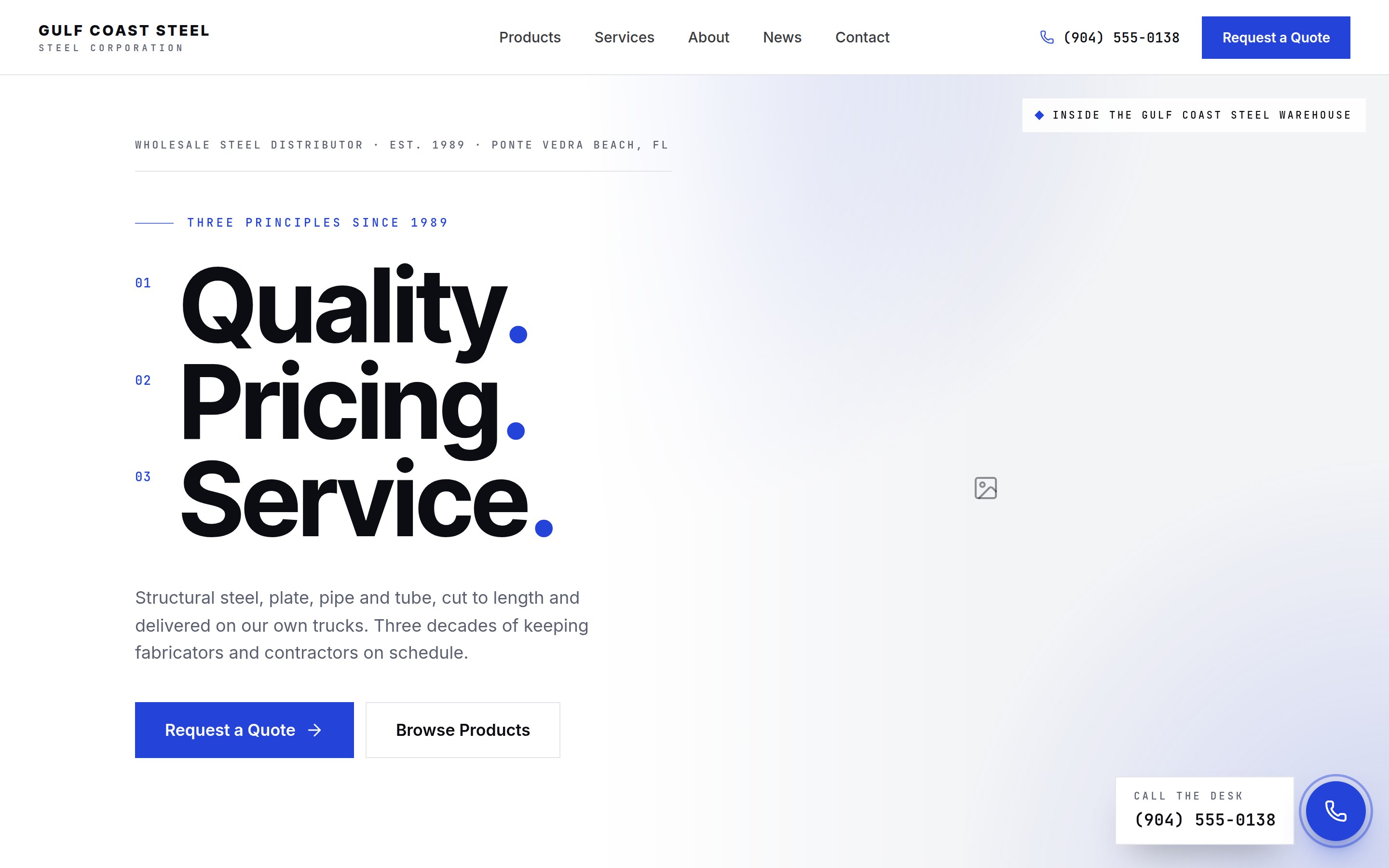
gulfcoaststeel.com
Published site for Gulf Coast Steel, a light editorial industrial design with numbered principles
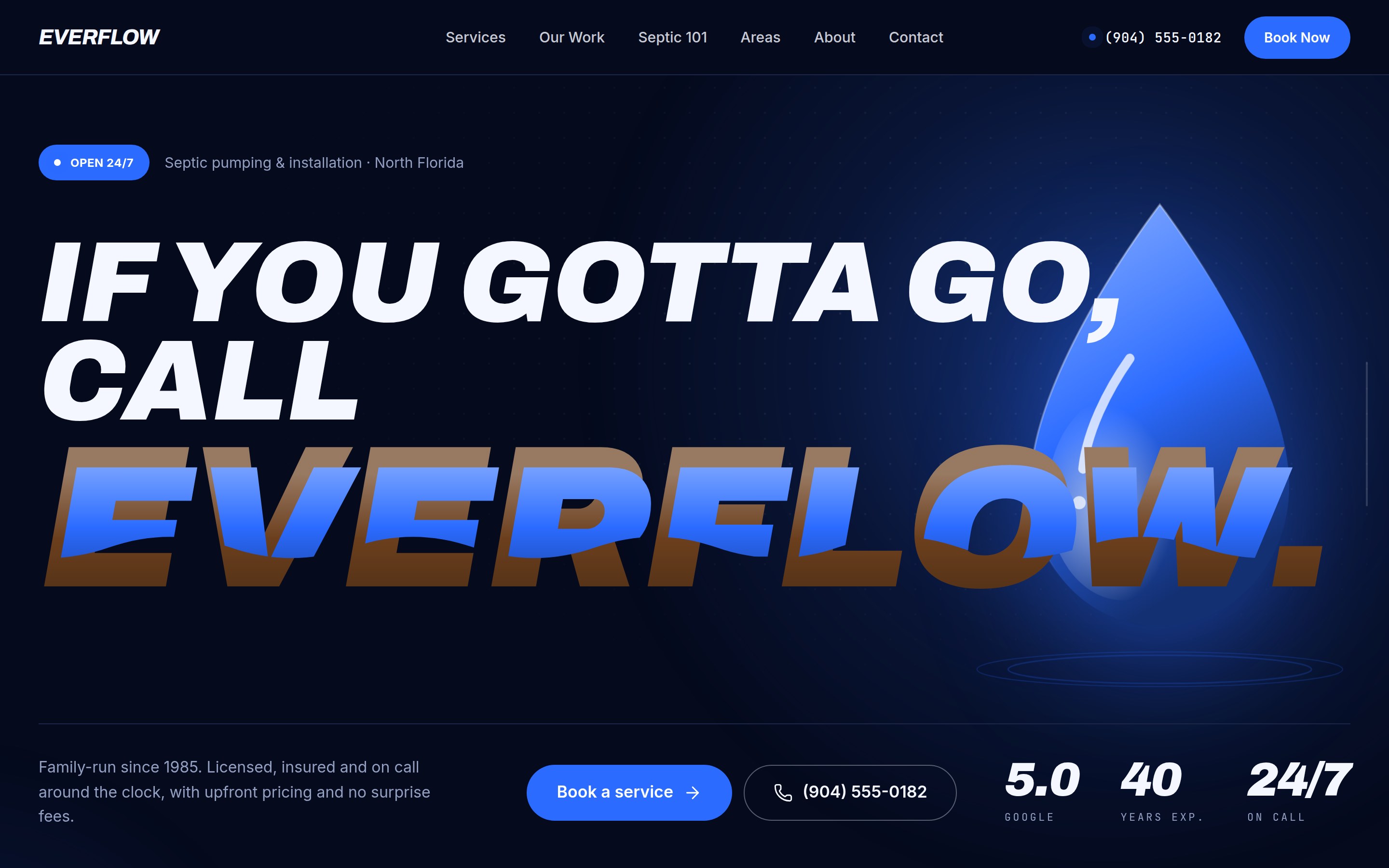
everflowseptic.com
Published site for Everflow, a 24/7 septic company, with a giant italic display headline and a liquid wordmark
25Security and isolation

Built secure by default.

Every account requires two-factor authentication with an authenticator app. Published sites never share a trusted origin with your account, sessions are scoped to one purpose, and every request that changes content is verified. Card details are entered in the payment processor's secure fields and never touch our servers.

  • Sandboxed published sitesPages run in an opaque-origin sandbox and can never read your CMS session.
  • Purpose-bound sessionsEach token is signed for one job and stops working when your password changes.
  • Two-factor sign-inEvery account requires an authenticator app code, and failed attempts are throttled.
  • Origin checksEvery request that changes content must come from the CMS itself.
26Impartial Connect

Edit sites that were built in code.

Connect a repository built with any popular framework. The AI maps every editable string to its exact source location, so clients edit content on the live site and you review minimal, verified diffs.

  • Next.js, Astro, Remix, SvelteKit, Nuxt, Hugo, Jekyll and plain HTML
  • Click-to-edit on the live site, with an editable preview
  • Commit directly or open a pull request
  • Webhook rescans keep the content map current on every push
  • Link the Railway service that hosts the site: live URL filled in, custom domain with DNS records and status
  • A CMS-ready refactor pull request when you want content in structured files. How Connect works
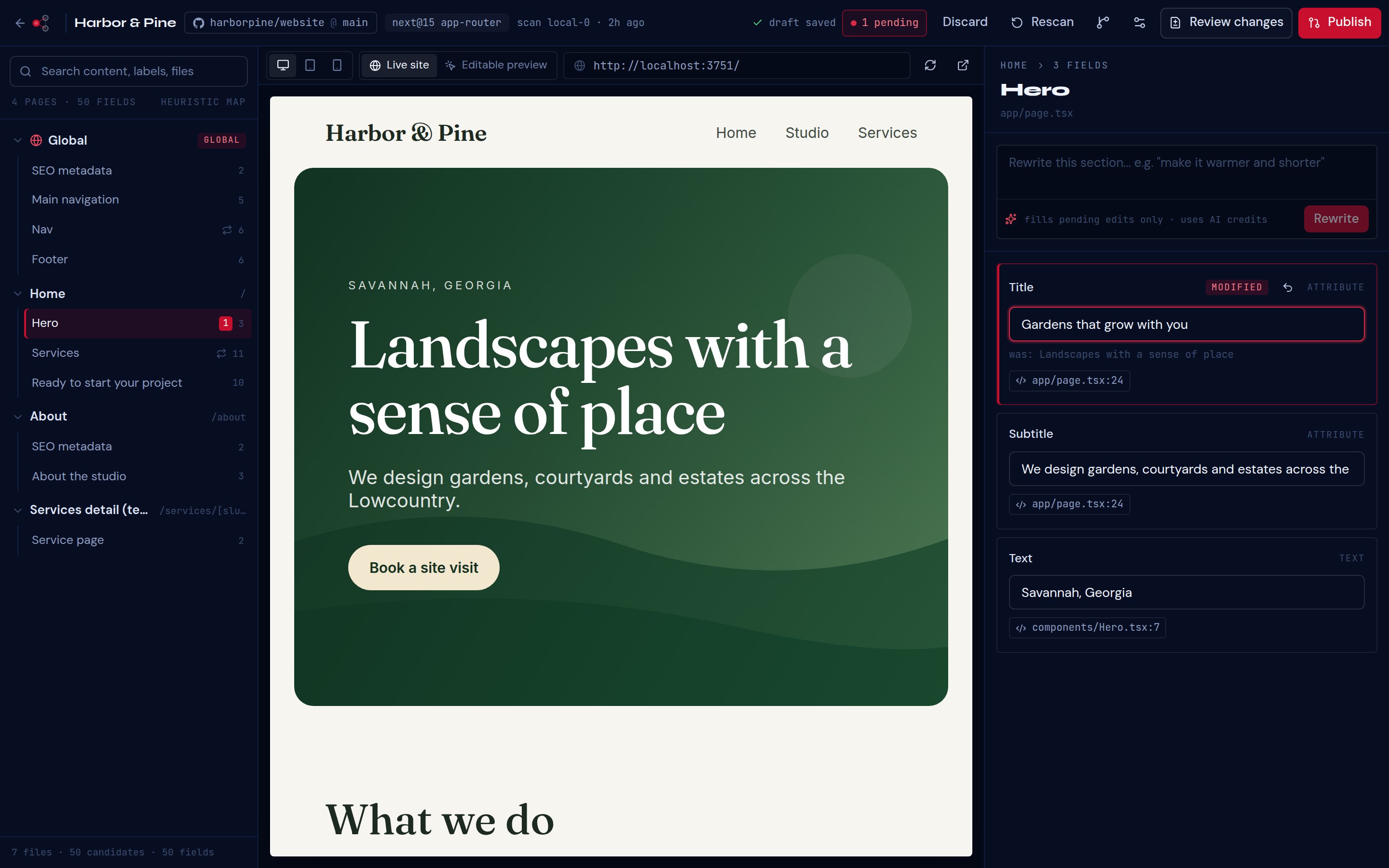
impartialcms.com/connect/harbor-pine
Impartial Connect editing an existing Next.js site: content tree, the live site preview and a modified hero title with its exact source file and line
27Agency migration

Move ten client sites at once.

Paste up to 10 client URLs. Each site is crawled, rebuilt with AI, audited, published and deployed to Railway, all ten at once, with a redirect map and a DNS checklist for the cutover. Or pick GitHub repositories and launch each app on Railway with its database. More than 10 sites goes through sales as an assisted migration.

  • Faithful rebuilds or redesigns from the theme library
  • Up to 40 pages crawled per site
  • Audit fixes applied before publishing
  • From GitHub: each repository analyzed first, then deployed with Postgres, MySQL, Redis or MongoDB provisioned and its data connected or imported
  • Secrets encrypted, written to Railway and deleted; live build logs, HTTP verification and retry from any step
  • Deployed apps stay editable through Impartial Connect, or static repositories are rebuilt as Impartial CMS sites
  • Up to 10 sites or repositories self-serve on Agency. More? Talk to sales
[ READY.TO.BUILD ]

Start with a sentence_

Describe the business and watch the first draft build. Then make it yours.

Features | Impartial CMS